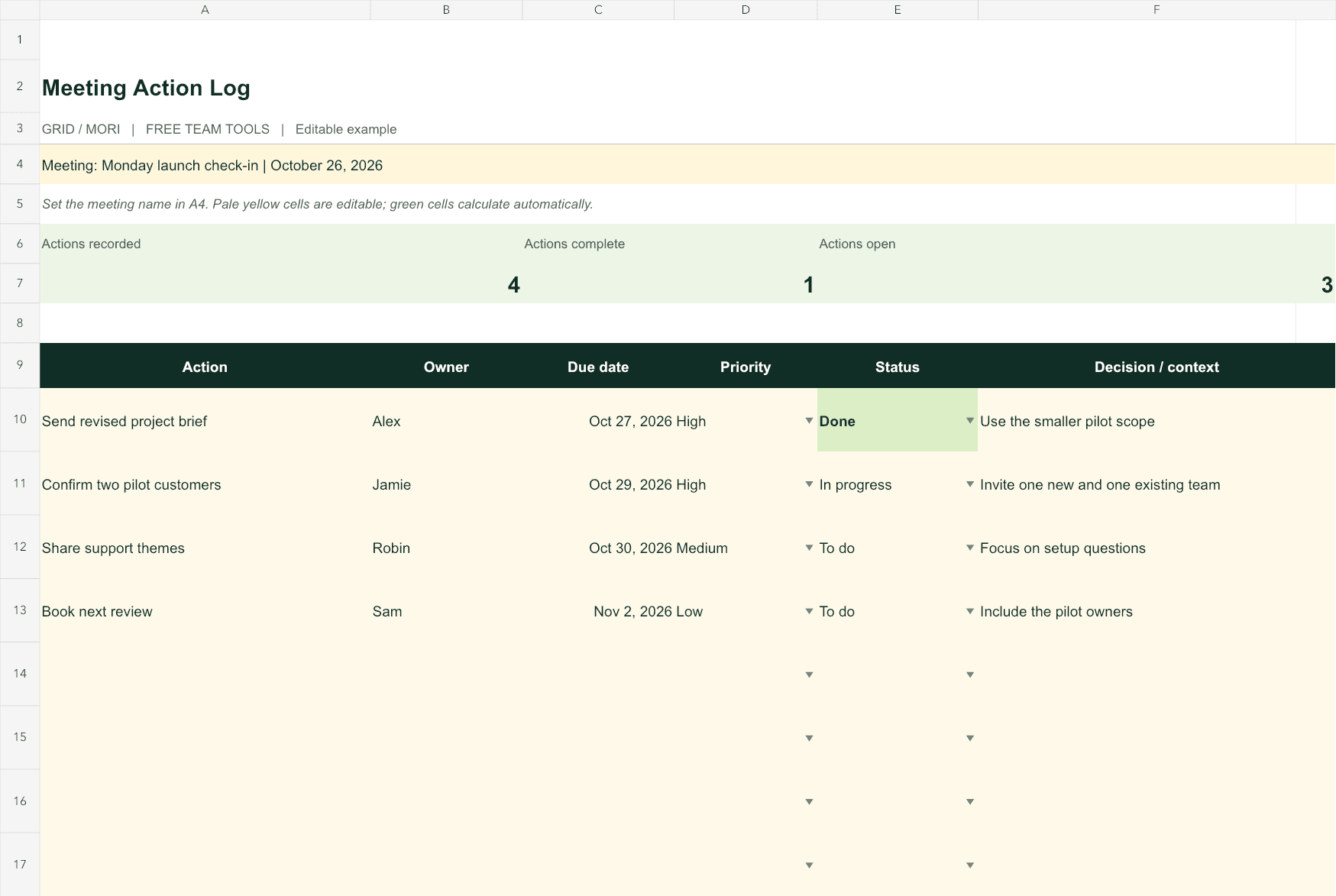
A thoughtful starting point
Know where the budget stands.
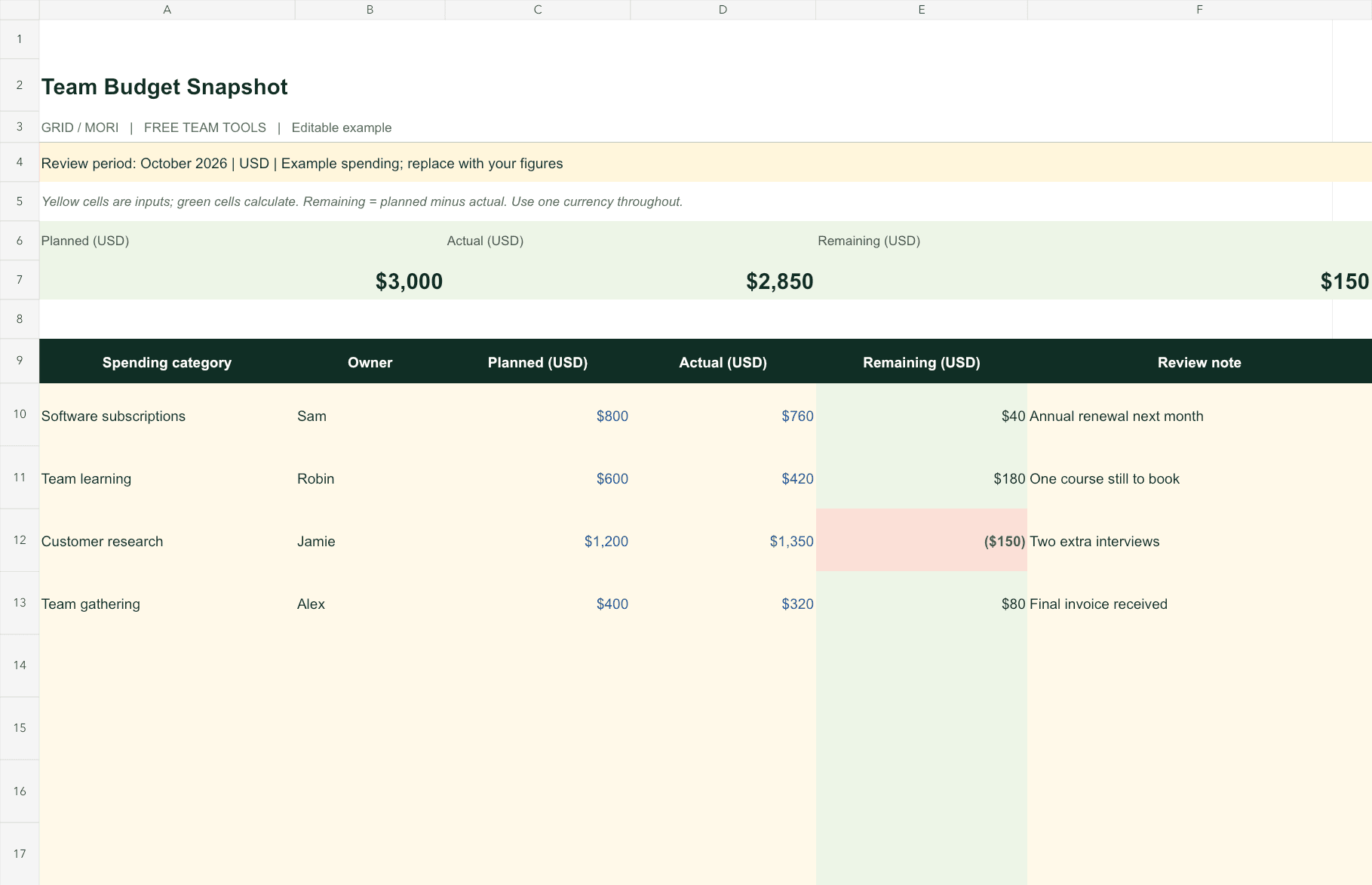
A small team's budget review does not need a complicated model. This snapshot compares planned and actual spending by category, shows what is left, and gives each difference a little context.
A good fit forTeam leads reviewing a monthly operating budget or a small internal initiative.
Open it up
Just enough structure.
- 20 prepared spending lines with planned and actual amounts
- Automatic remaining budget for each line and the whole plan
- Clear USD formats and editable input cells
- An example review and a blank printable budget worksheet
Your first five minutes
Make it work for your team.
- 01
Set the review period and keep every amount in the same currency.
- 02
Replace the example categories and enter planned and actual spending; use 0 when confirmed zero.
- 03
Review the remaining amounts together. Negative values mean spending is over plan.
A few helpful details
Before you begin.
Is this an accounting or cash-flow model?
This is a simple spending comparison for one review period, in USD. It does not calculate taxes, exchange rates, accruals, or cash flow. Enter comparable planned and actual amounts on the same basis.
Is the whole template really free?
Yes. Both the complete Excel example and the two-page printable PDF are free. There is no sign-up, payment, or trial period. You can edit the files and share them within your team. Please do not resell them or redistribute them as a template collection.
Can I use it in Google Sheets?
Download the .xlsx file, upload it to Google Drive, and open it with Google Sheets. Save it as a Google Sheets file to collaborate. The workbook uses common formulas and no macros; check formatting and dropdowns after import. There is no direct Google Sheets copy link.
What is included in the PDF?
Two landscape A4 pages: a completed example to show the structure and a blank worksheet to print and fill in. PDFs are for printing; calculations update in the Excel file.