A clearer way to work
Compare retention without hiding immature cohorts.
Compare the share of original customers active at each cohort age. Count only observed cohorts in each weighted retention denominator.
Analysts and customer success managers reviewing monthly cohort retention.
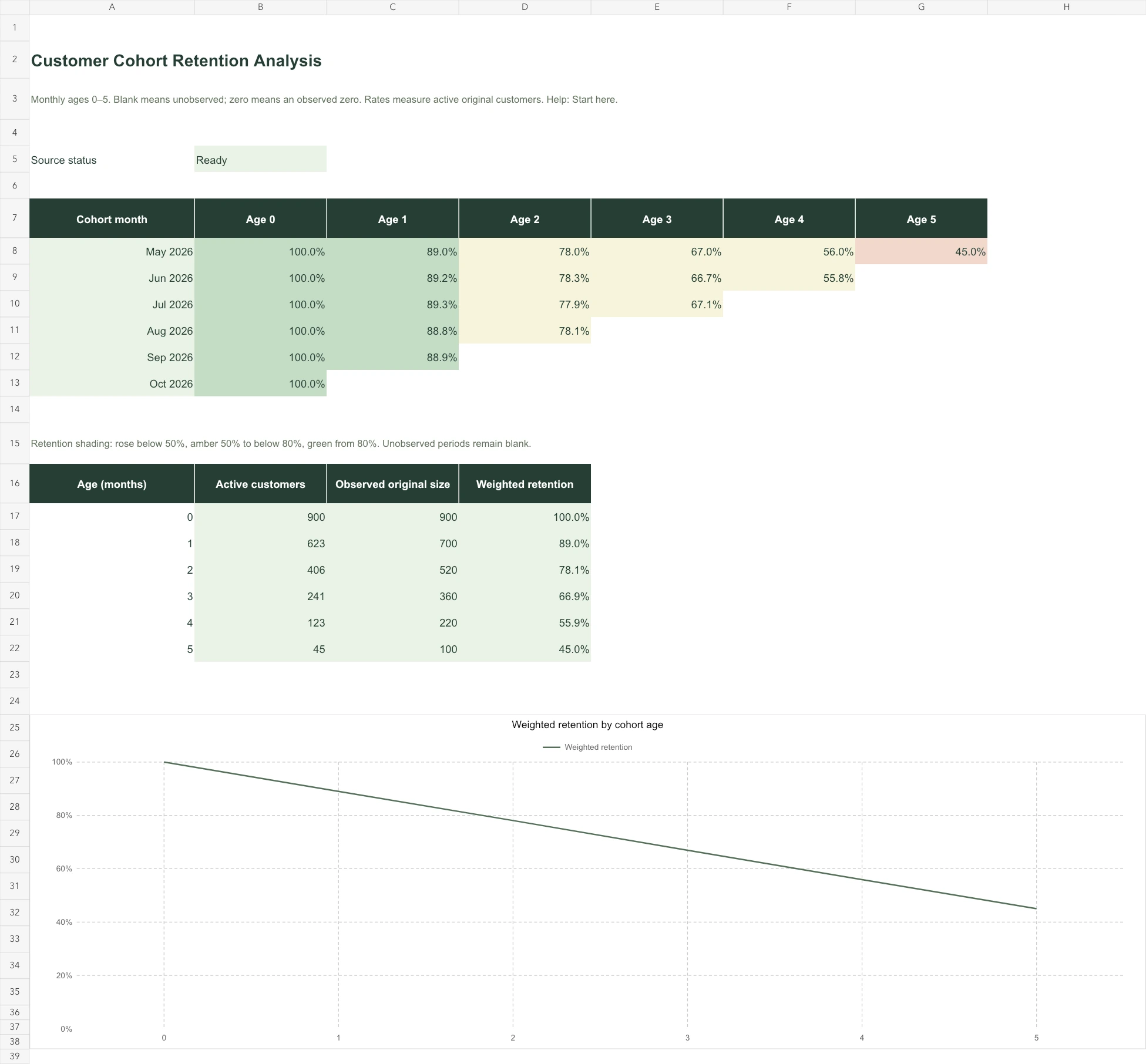
Six-cohort retention heatmap
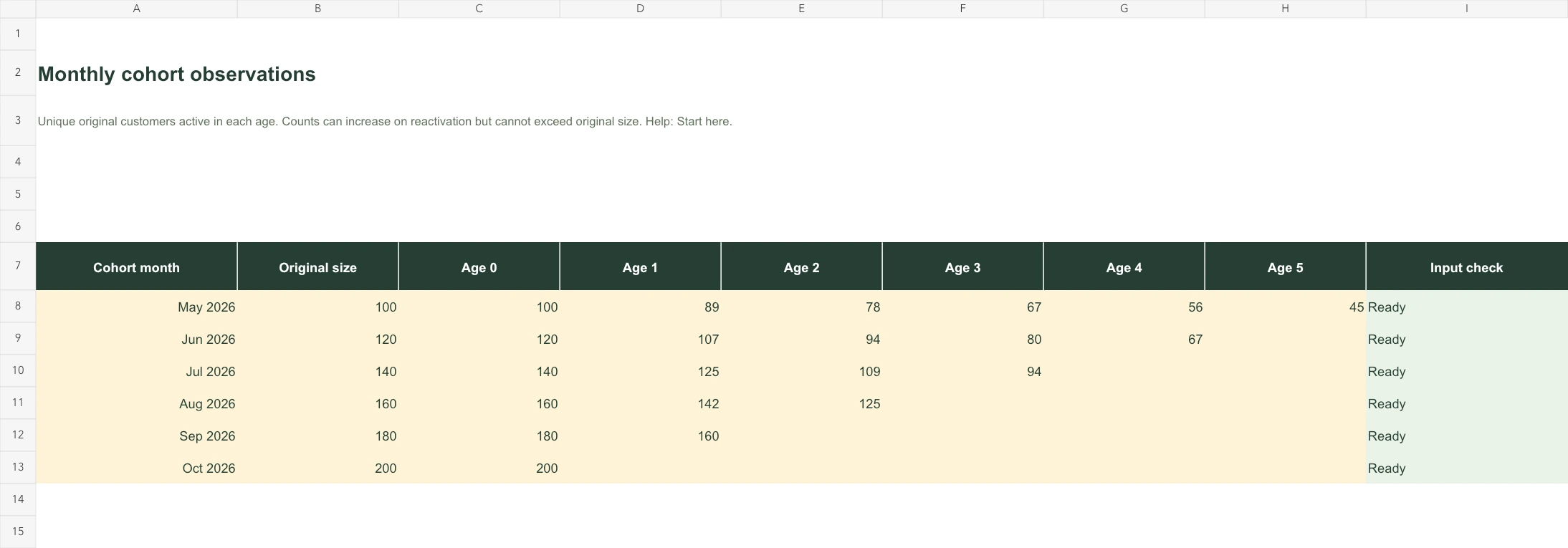
Six monthly observation periods
Weighted retention curve
Cohort size and observation checks
One connected workbook
Take a look inside.
Start with the included guide, replace the example inputs, and review the calculated results.
Retention
Review the retention heatmap and weighted curve. Blank cells mean the period has not been observed.
Cohorts
Enter six original cohort sizes and observed active-customer counts. Counts may rise when original customers reactivate.
 Explore the details
From download to your daily work
A useful start in three steps.
- 01
Cohorts: Replace cohort month labels in A8:A13 and original customer counts in B8:B13.
- 02
Cohorts: Enter active original customers at ages 0–5 in C8:H13. Use 0 for observed zero retention and leave unobserved ages blank.
- 03
Retention: Review each cohort and the weighted curve. Later ages may cover fewer cohorts. Missing age gaps or counts above original size are flagged.
The useful details
Before you make it yours.
Why are some retention cells blank?
An immature cohort has not reached that age. Blank observations are excluded from the weighted denominator; a confirmed zero remains included. This avoids understating retention.
What will I receive after purchase?
You receive the complete Customer Cohort Retention Analysis as an editable .xlsx file with 2 worksheets, sample data, and live formulas. Your paid order confirmation includes download links. Sign in to your GridMori account to keep purchased workbooks together in your library.
Do I need a subscription?
No. This workbook is a one-time $9 purchase. Choose any 3 different GridMori templates for $24 or any 5 for $32. Your bag applies $8-each pricing for 3–4 templates and $6.40-each pricing for 5 or more. Taxes are calculated at checkout.
Which spreadsheet app is it designed for?
Editable .xlsx for modern Microsoft Excel on Windows or Mac. No VBA macros. Other spreadsheet apps require import and review of formulas, charts, dropdowns, and layout.
Can I customize the workbook for my business?
Yes. Replace the example data, edit the input fields, and adapt the labels and appearance for your own work. Keep an original copy and check formulas and chart ranges when extending the prepared structure. A personal commercial-use license is included; it does not permit resale of the template.