Save your own copy
Use File > Save As in Excel. Keep the original workbook for next time.
Your getting-started guide
Classify account balances into current and noncurrent assets and liabilities, and equity. Compare two dated positions, inspect changes, and check that assets equal liabilities plus equity without a balancing plug.
Your first five minutes
Set company in B4 and prior/current dates in C5:D5. Replace examples in A8:D37 with balances from your own reviewed records.
See the fields in BalancesUse positive balances for normal assets, liabilities, and equity. Enter contra-assets and accumulated losses as negative amounts. Enter 0 for confirmed zero.
See the fields in BalancesReview both balance differences and missing-input counts. Correct the source accounts; do not adjust equity just to force the statement to balance.
See the fields in StatementAmber: your entries. Type your information here.
Green: calculated results. Keep these formulas.
Status colors can change as you work. Use the field instructions below to confirm what you can edit.
Follow along in your copy
The workbook already contains illustrative records so you can see how it works. Find these cells, make a small change following the first steps, and review the result before entering your own information.
These are sample values. Replace or clear the amber example cells before relying on your totals.
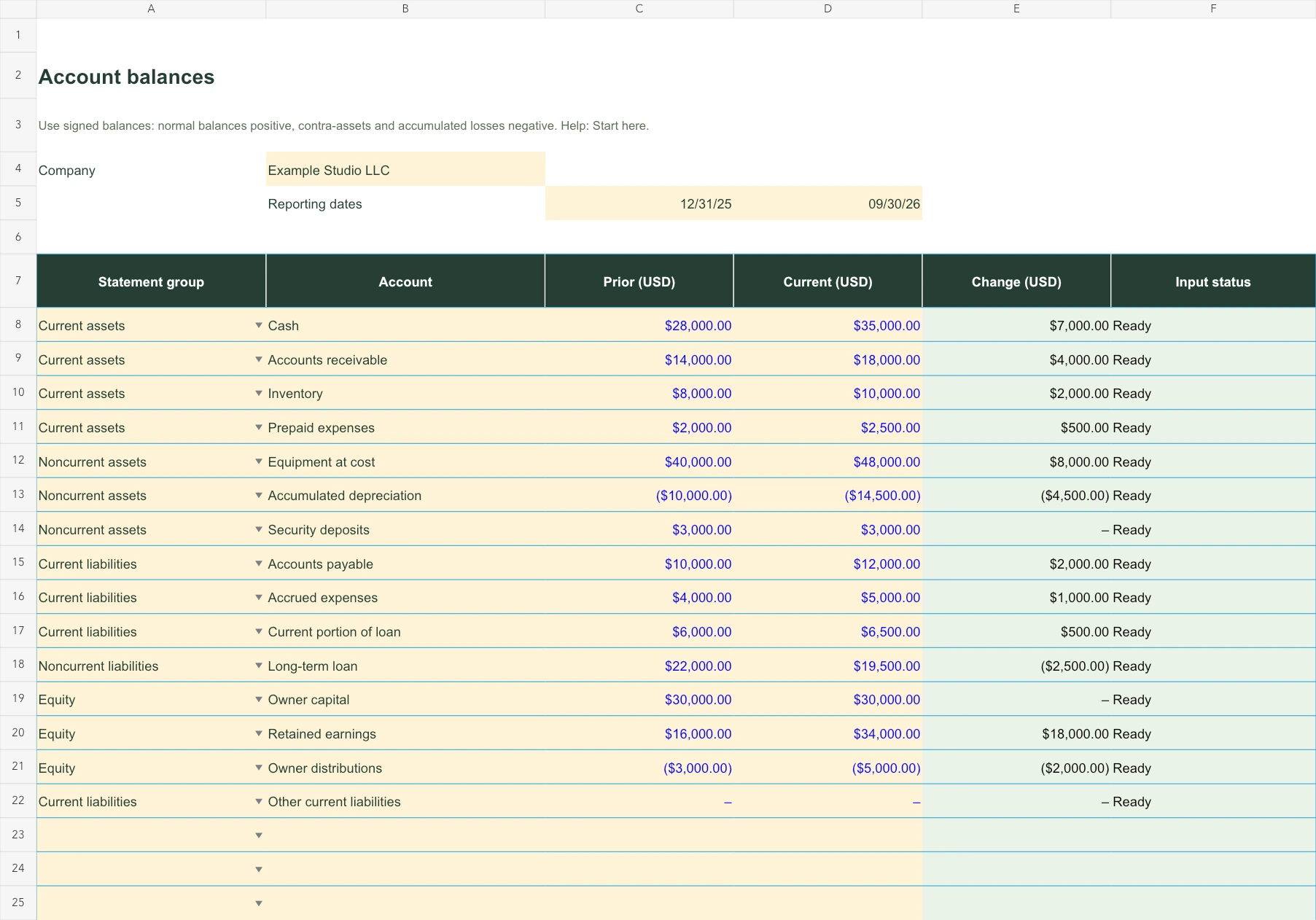 Open the worksheet preview
New to spreadsheets?
Use File > Save As in Excel. Keep the original workbook for next time.
Click a tab at the bottom to open it. B7 means column B, row 7.
Click an amber cell, type, and press Enter. Press Tab to move right.
Use the arrow on a validated cell to choose one of the listed options.
Use real dates and numeric amounts. Enter 50% for half. Keep the existing formats.
Use Ctrl+Z on Windows or Command+Z on Mac. Keep formulas, which start with =.
Keep this beside your workbook
Review comparative assets, liabilities, equity, changes, and key ratios.
| Field and cells | What to do |
|---|---|
| Total assets (B14) | Current assets plus net noncurrent assets for the prior period; column C is current. |
| Balance difference (B25) | Assets minus liabilities and equity. A nonzero difference requires investigation. |
| Current ratio (B29) | Current assets divided by current liabilities; n.a. if liabilities are zero. |
Enter company, two reporting dates, account classifications, and signed USD balances.
| Field and cells | What to do |
|---|---|
| Company (B4) | Name shown on the comparative statement. |
| Prior date (C5) | Earlier reporting date; a point-in-time balance. |
| Current date (D5) | Later reporting date, strictly after the prior date. |
| Group (A8) | Choose one of the five statement groups. |
| Account (B8) | Use a unique account name or code. |
| Prior balance (C8) | Signed USD balance at the prior date. |
| Current balance (D8) | Signed USD balance at the current date. |
Make it part of your routine
All populated records are fictional. Replace or clear amber examples before using totals.
30 accounts and two reporting dates in USD. Manual classification and balances; no general ledger, trial-balance import, tax filing, or automatic links to other workbooks.
Leave unknown values blank. Enter 0 for a confirmed zero. Read missing-input messages before using a result.
Beyond prepared capacity, extend formulas, validation, summary ranges, and chart ranges together.