A clearer way to work
See the financial position clearly.
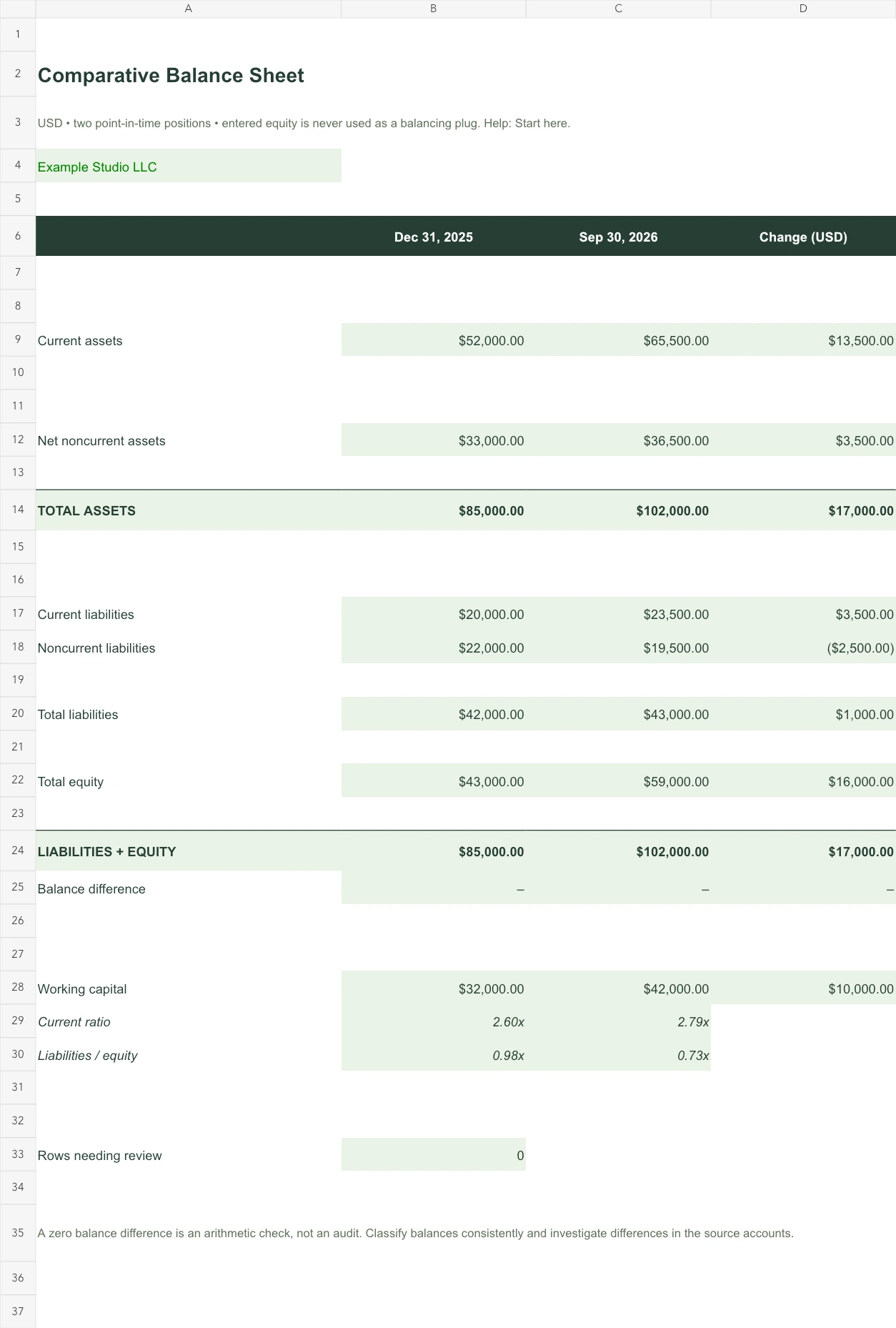
Classify account balances into current and noncurrent assets and liabilities, and equity. Compare two dated positions, inspect changes, and check that assets equal liabilities plus equity without a balancing plug.
Small-business owners and finance coordinators preparing a management balance sheet from reviewed account balances.
Two-period financial statement
30 account balance rows
Liquidity and leverage ratios
Balance difference for each period
One connected workbook
Take a look inside.
Start with the included guide, replace the example inputs, and review the calculated results.
Statement
Review comparative assets, liabilities, equity, changes, and key ratios.
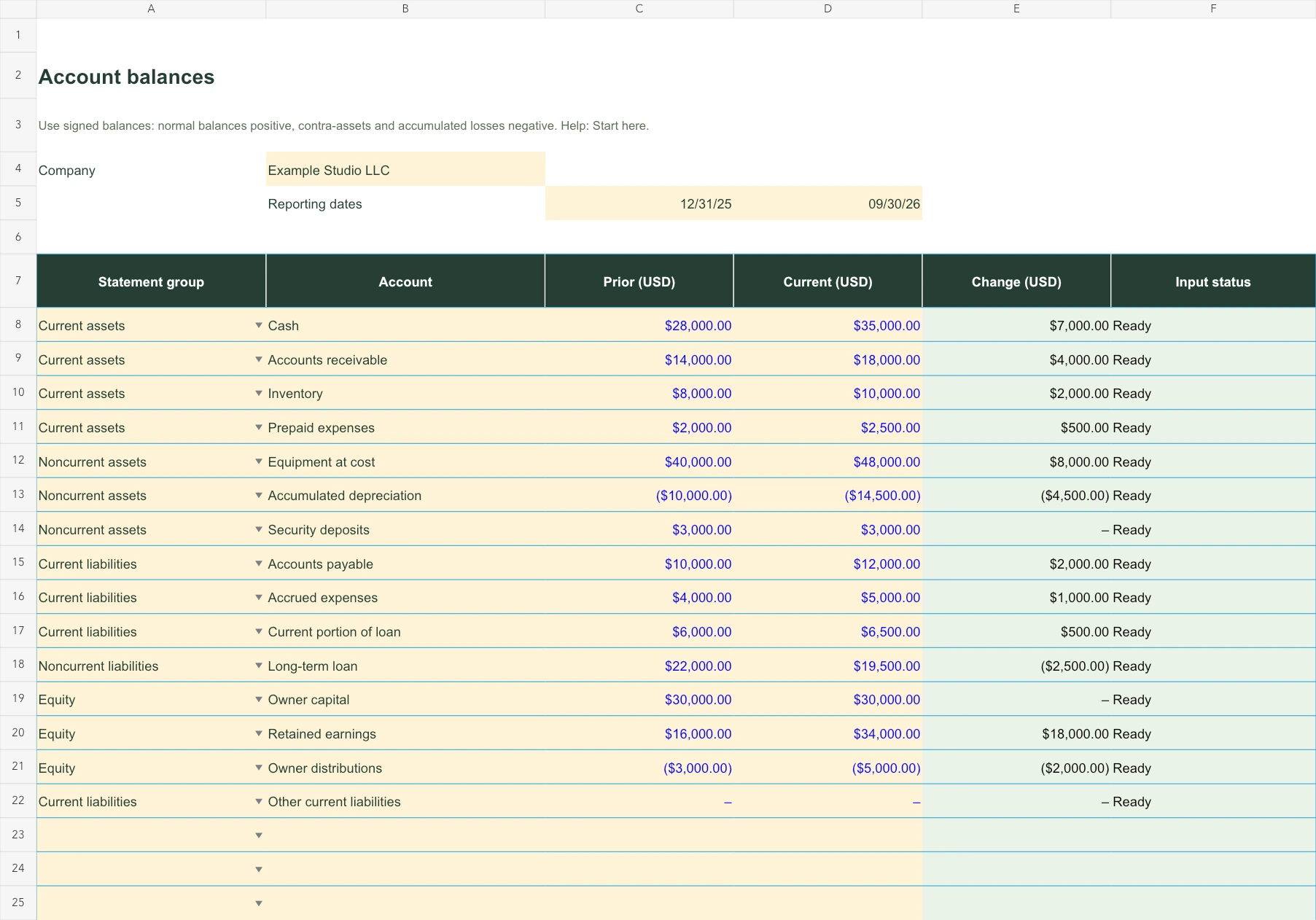
Balances
Enter company, two reporting dates, account classifications, and signed USD balances.
 Explore the details
From download to your daily work
A useful start in three steps.
- 01
Balances: Set company in B4 and prior/current dates in C5:D5. Replace examples in A8:D37 with balances from your own reviewed records.
- 02
Balances: Use positive balances for normal assets, liabilities, and equity. Enter contra-assets and accumulated losses as negative amounts. Enter 0 for confirmed zero.
- 03
Statement: Review both balance differences and missing-input counts. Correct the source accounts; do not adjust equity just to force the statement to balance.
The useful details
Before you make it yours.
Does the workbook make an unbalanced statement balance?
No. Equity is entered from your records. The statement shows the difference between assets and liabilities plus equity for each period. Contra-assets and accumulated losses can be negative; missing balances remain unavailable rather than becoming zero.
What will I receive after purchase?
You receive the complete Comparative Balance Sheet as an editable .xlsx file with 2 worksheets, sample data, and live formulas. Your paid order confirmation includes download links. Sign in to your GridMori account to keep purchased workbooks together in your library.
Do I need a subscription?
No. This workbook is a one-time $9 purchase. Choose any 3 different GridMori templates for $24 or any 5 for $32. Your bag applies $8-each pricing for 3–4 templates and $6.40-each pricing for 5 or more. Taxes are calculated at checkout.
Which spreadsheet app is it designed for?
Editable .xlsx for modern Microsoft Excel on Windows or Mac. No VBA macros. Other spreadsheet apps require import and review of formulas, charts, dropdowns, and layout.
Can I customize the workbook for my business?
Yes. Replace the example data, edit the input fields, and adapt the labels and appearance for your own work. Keep an original copy and check formulas and chart ranges when extending the prepared structure. A personal commercial-use license is included; it does not permit resale of the template.