Save your own copy
Use File > Save As in Excel. Keep the original workbook for next time.
Your getting-started guide
Track a single property renovation from line-item estimates to actual spend. Phase totals expose overruns, and the contingency stays separate from the base estimate.
Your first five minutes
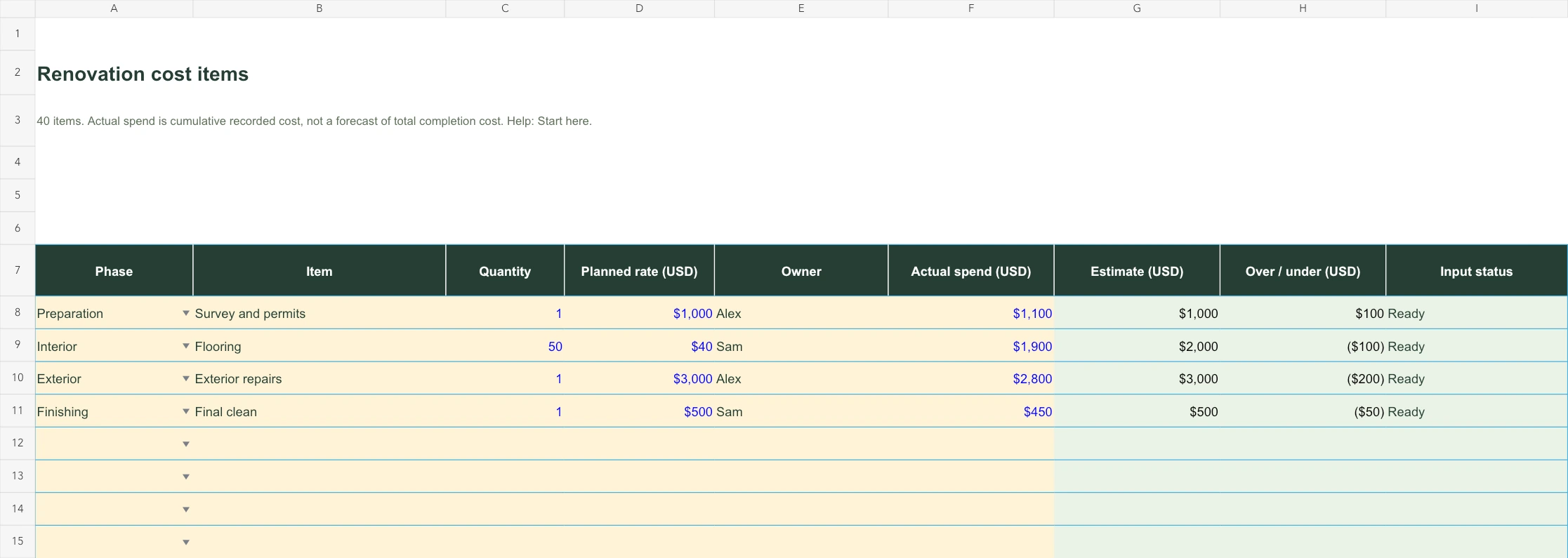
Replace the fictional items in rows 8–47. Choose a phase, enter quantities and rates, and record actual spend.
See the fields in CostsChange the first item’s actual spend in F8 from 1100 to 1500. Its overrun rises by $400.
See the fields in CostsSet contingency in B5. Missing amounts flag the overview; enter 0 for confirmed no spend.
See the fields in OverviewAmber: your entries. Type your information here.
Green: calculated results. Keep these formulas.
Status colors can change as you work. Use the field instructions below to confirm what you can edit.
Follow along in your copy
The workbook already contains illustrative records so you can see how it works. Find these cells, make a small change following the first steps, and review the result before entering your own information.
These are sample values. Replace or clear the amber example cells before relying on your totals.
 Open the worksheet preview
New to spreadsheets?
Use File > Save As in Excel. Keep the original workbook for next time.
Click a tab at the bottom to open it. B7 means column B, row 7.
Click an amber cell, type, and press Enter. Press Tab to move right.
Use the arrow on a validated cell to choose one of the listed options.
Use real dates and numeric amounts. Enter 50% for half. Keep the existing formats.
Use Ctrl+Z on Windows or Command+Z on Mac. Keep formulas, which start with =.
Keep this beside your workbook
Review phase totals, base estimate, contingency, approved budget, and remaining budget.
| Field and cells | What to do |
|---|---|
| Property (B4) | Enter the project’s property name. |
| Contingency rate (B5) | Allowance applied to the base estimate, separate from actual spend. |
| Actual spend (C8) | Sums recorded spend for each phase only when inputs are complete. |
Enter quantity, estimated rate, actual spend, and owner for 40 items.
| Field and cells | What to do |
|---|---|
| Phase (A8) | Choose Preparation, Interior, Exterior, or Finishing. |
| Item (B8) | Describe the work or purchase. |
| Quantity (C8) | Use a nonnegative quantity. |
| Planned rate (D8) | Estimated USD per unit. |
| Owner (E8) | Person responsible for this cost item. |
| Actual spend (F8) | Total recorded spend in USD; enter 0 for confirmed zero. |
Make it part of your routine
All populated records are fictional. Replace or clear amber examples before using totals.
40 line items for one property and four fixed phases. Manual cost entry; no contractor payments, tax engine, schedule, or accounting sync.
Leave unknown values blank. Enter 0 for a confirmed zero. Read missing-input messages before using a result.
Beyond prepared capacity, extend formulas, validation, summary ranges, and chart ranges together.