Save your own copy
Use File > Save As in Excel. Keep the original workbook for next time.
Your getting-started guide
Agree the start and end of a process, its suppliers and inputs, its major steps, and the outputs customers need.
Your first five minutes
Set the process name, owner, start trigger, and end point in the amber fields.
See the fields in SIPOCReplace the examples in rows 8–19 with measurable input or output requirements, owners, and actions.
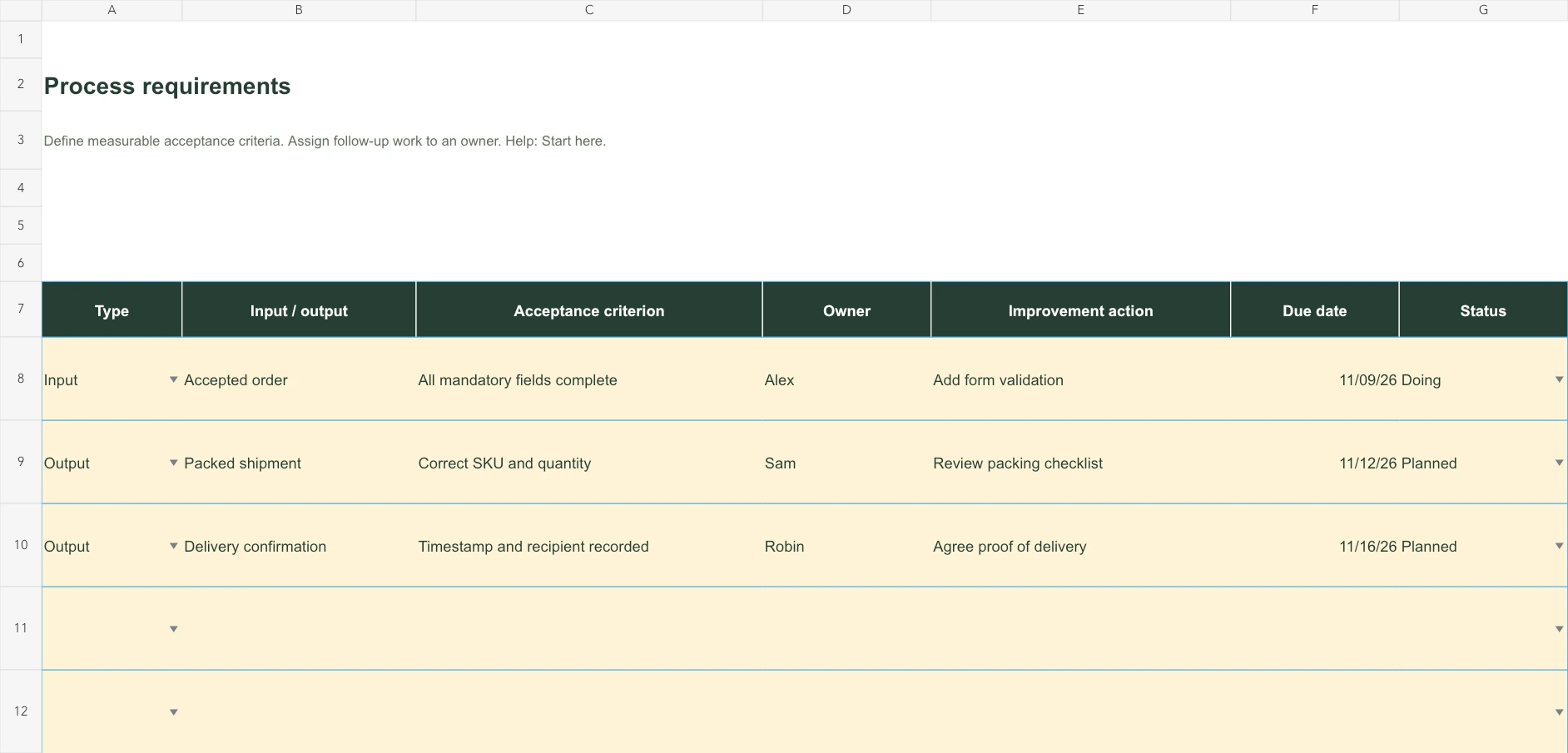
See the fields in RequirementsReview all five lists with people who do the work. Keep the process at a high level.
See the fields in SIPOCAmber: your entries. Type your information here.
Green: calculated results. Keep these formulas.
Status colors can change as you work. Use the field instructions below to confirm what you can edit.
Follow along in your copy
The workbook already contains illustrative records so you can see how it works. Find these cells, make a small change following the first steps, and review the result before entering your own information.
These are sample values. Replace or clear the amber example cells before relying on your totals.
 Open the worksheet preview
New to spreadsheets?
Use File > Save As in Excel. Keep the original workbook for next time.
Click a tab at the bottom to open it. B7 means column B, row 7.
Click an amber cell, type, and press Enter. Press Tab to move right.
Use the arrow on a validated cell to choose one of the listed options.
Use real dates and numeric amounts. Enter 50% for half. Keep the existing formats.
Use Ctrl+Z on Windows or Command+Z on Mac. Keep formulas, which start with =.
Keep this beside your workbook
Define the boundaries and edit each of the five lists independently. Rows do not imply one-to-one relationships.
| Field and cells | What to do |
|---|---|
| Process (B5) | Give the process a specific name. |
| Owner (D5) | Assign the person accountable for maintaining the map. |
| Start trigger (B6) | State what causes the process to begin. |
| End point (D6) | State when the process is finished. |
| Suppliers (A9) | List organizations or people supplying inputs. |
| Process steps (C9) | Keep the main process to five to seven high-level steps. |
Define measurable acceptance criteria and follow-up actions for important inputs and outputs.
| Field and cells | What to do |
|---|---|
| Type (A8) | Choose Input or Output. |
| Input / output (B8) | Use a label from the map. |
| Acceptance criterion (C8) | State a measurable requirement. |
Make it part of your routine
All populated records are fictional. Replace or clear amber examples before using totals.
Seven prepared entries per SIPOC column and 12 requirement rows. A high-level process definition, without workflow automation or detailed flowchart connectors.
Leave unknown values blank. Enter 0 for a confirmed zero. Read any missing-input messages before using a result.
Beyond prepared capacity, extend formulas, dropdowns, chart and summary ranges, and any pivot source range.
https://asq.org/quality-resources/articles/sipoc-job-aid?id=232019f796fc447dad7cdb2cf242f48a