A clearer way to work
Keep claims, approvals, and repayments together.
Record employee expenses and mileage, review claim-level decisions, and track partial reimbursement payments. A selected-claim form brings matching expense lines together for review or PDF export.
Small-business administrators and finance coordinators managing manual employee reimbursement claims.
20 claims and 100 expense lines
Editable mileage rate and receipt policy
Partial reimbursement balances
Printable selected-claim form
One connected workbook
Take a look inside.
Start with the included guide, replace the example inputs, and review the calculated results.
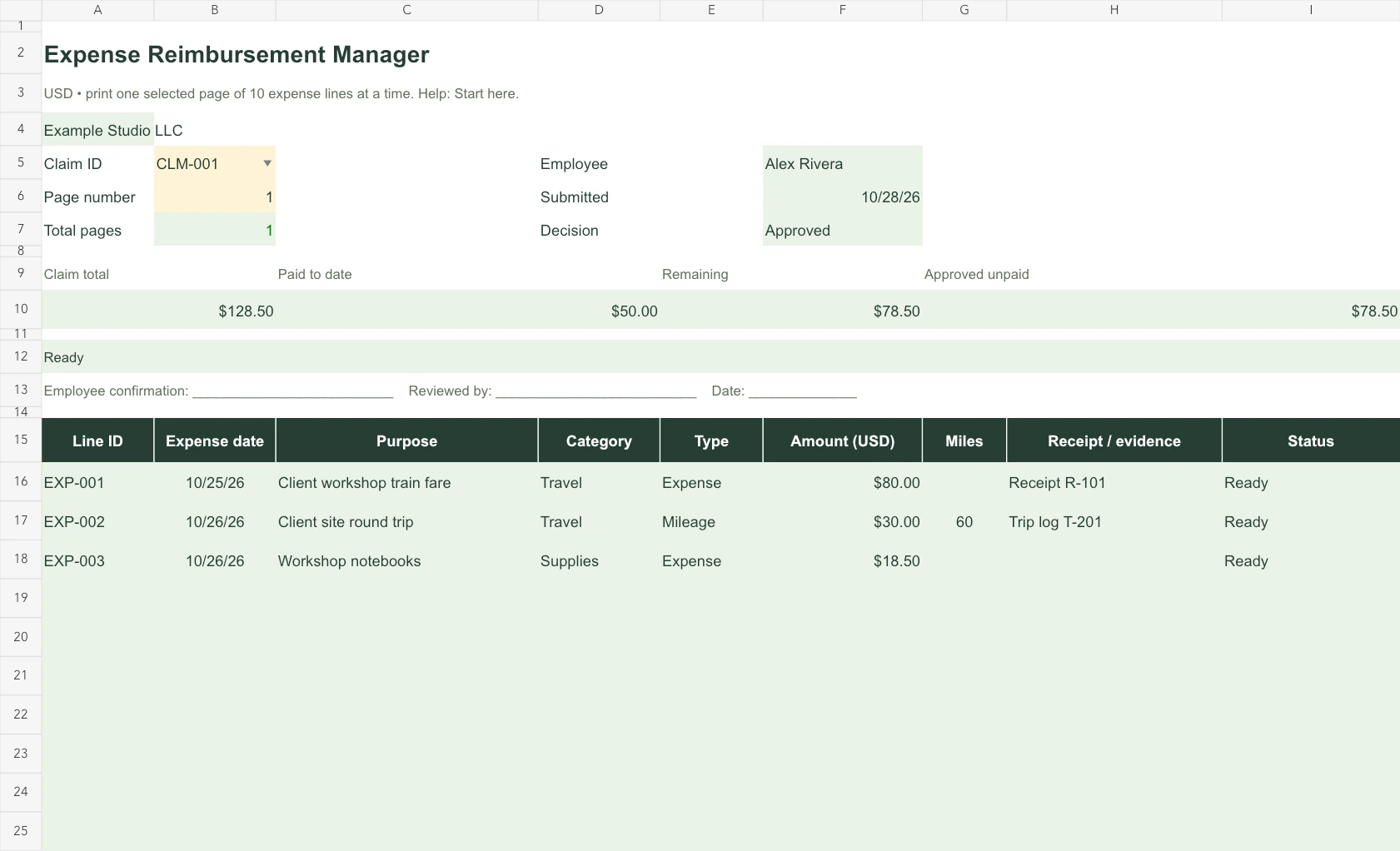
Claim form
Select a claim ID and review the employee, decision, totals, payments, and matching expense lines. Select the page number in B6 and print only Claim form. Each page displays 10 lines.
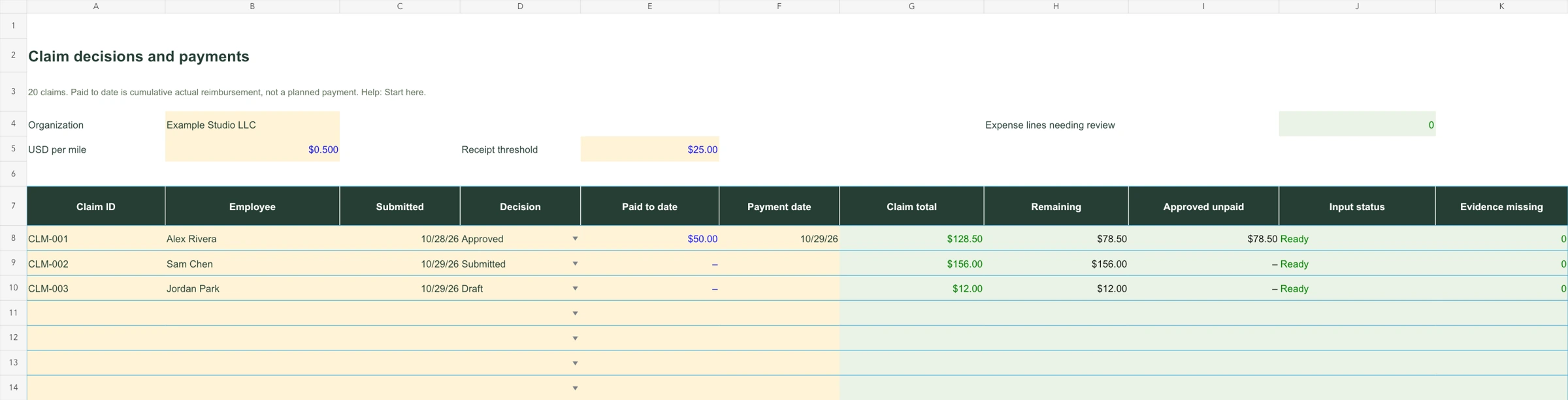
Claims
Maintain 20 unique claims, employees, submission dates, approval decisions, payments, and calculated outstanding balances.
Expenses
Record 100 expense or mileage lines with claim IDs, dates, descriptions, categories, and receipt references.
 Explore the details
From download to your daily work
A useful start in three steps.
- 01
Claims: Set your organization in B4, mileage rate in B5, and receipt threshold in E5. Create claim IDs and employee details in A8:D27, then record decisions and cumulative payments.
- 02
Expenses: Replace example expense lines in A8:I107. Amount is used for Expense; miles × the current mileage rate is used for Mileage. All lines must match a unique claim ID.
- 03
Claim form: Select a claim in B5 and page in B6. Print each page shown in B7. Resolve input or receipt warnings, review the claim, and export only this sheet as PDF. Record actual payments in Claims; the workbook does not send money.
The useful details
Before you make it yours.
Does changing the mileage rate change old claims?
Yes. One current rate recalculates every mileage line. Save a dated copy before changing policy when you need to preserve old approved amounts. Receipt references are text links or identifiers; the workbook does not store or verify receipts. The printable form shows 10 matching lines per page. Choose each page number in B6 up to the count in B7 and print it; changing the page updates the displayed lines.
What will I receive after purchase?
You receive the complete Expense Reimbursement Manager as an editable .xlsx file with 3 worksheets, sample data, and live formulas. Your paid order confirmation includes download links. Sign in to your GridMori account to keep purchased workbooks together in your library.
Do I need a subscription?
No. This workbook is a one-time $9 purchase. Choose any 3 different GridMori templates for $24 or any 5 for $32. Your bag applies $8-each pricing for 3–4 templates and $6.40-each pricing for 5 or more. Taxes are calculated at checkout.
Which spreadsheet app is it designed for?
Editable .xlsx for modern Microsoft Excel on Windows or Mac. No VBA macros. Other spreadsheet apps require import and review of formulas, charts, dropdowns, and layout.
Can I customize the workbook for my business?
Yes. Replace the example data, edit the input fields, and adapt the labels and appearance for your own work. Keep an original copy and check formulas and chart ranges when extending the prepared structure. A personal commercial-use license is included; it does not permit resale of the template.