A clearer way to work
Compare the portfolio on two dimensions.
Compare industry attractiveness and business competitive strength. Review the evidence behind each weighted score before allocating resources.
Strategy teams comparing business units or product lines with a consistent set of criteria.
Live nine-box portfolio matrix
Weighted criteria on both axes
12 business unit scorecards
Rating and weight checks
One connected workbook
Take a look inside.
Start with the included guide, replace the example inputs, and review the calculated results.
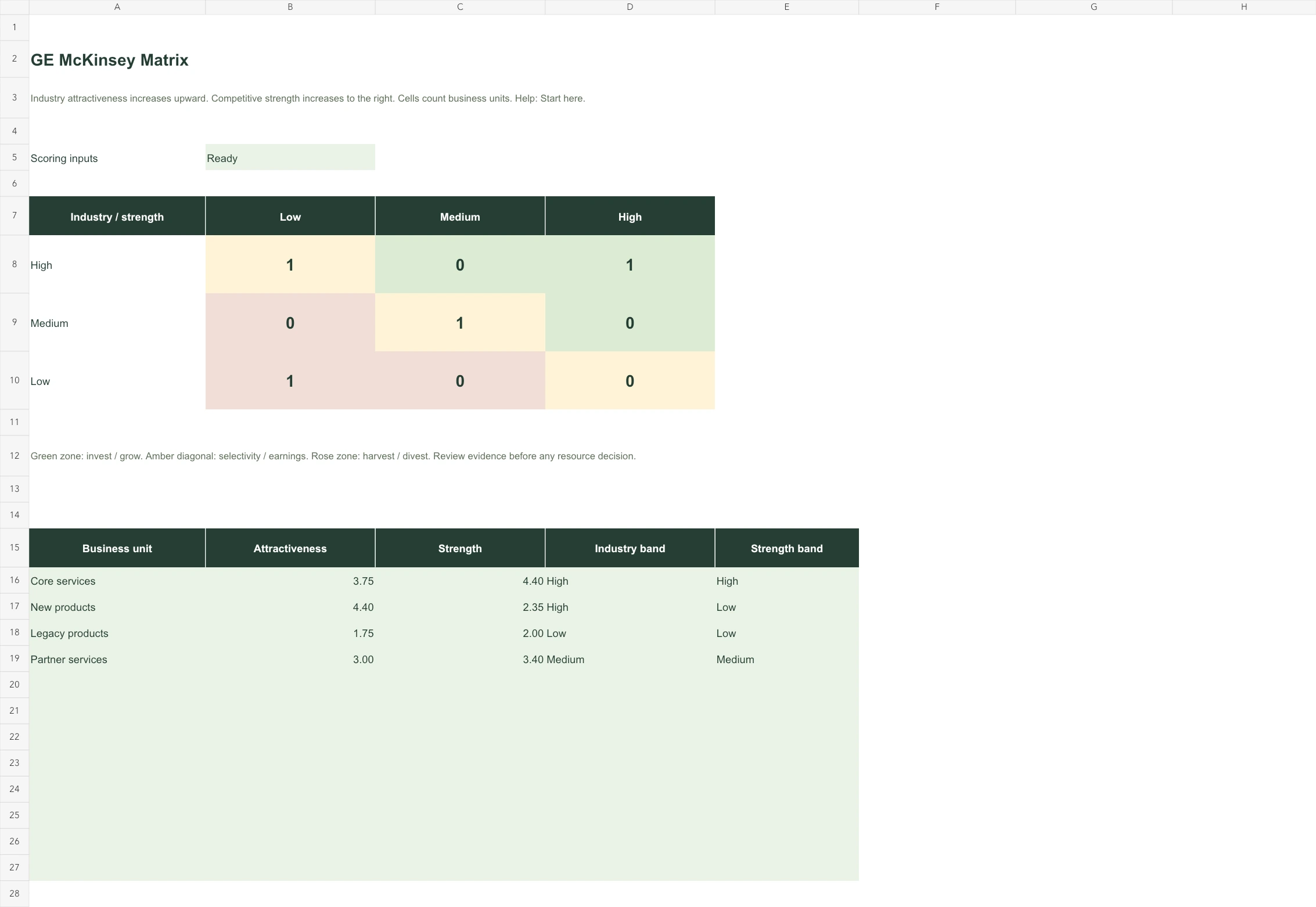
Matrix
Review unit counts in all nine cells and each unit’s weighted scores.
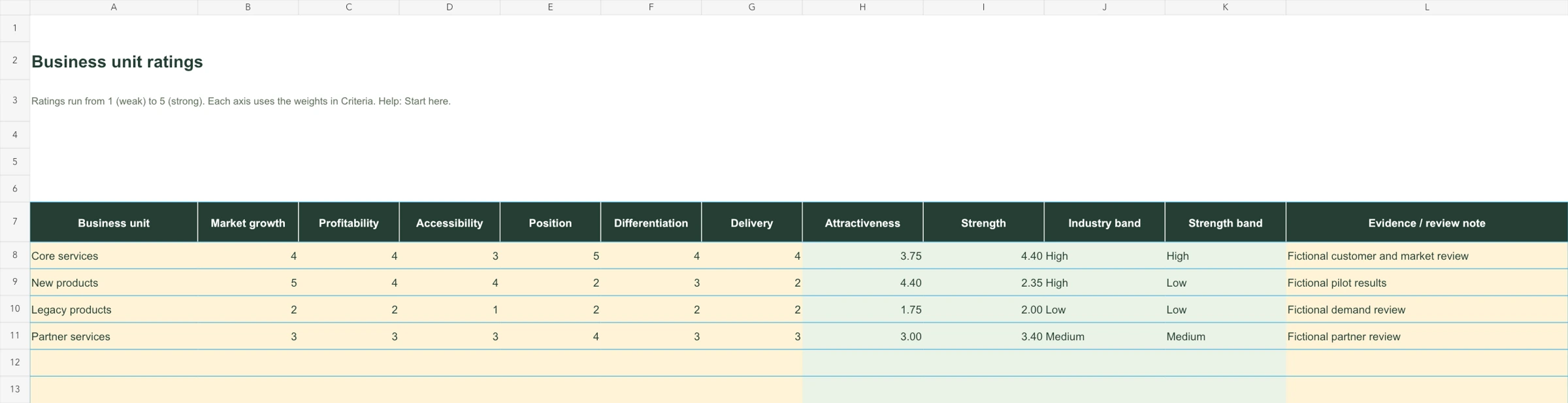
Scores
Enter unit names, six ratings from 1–5, and supporting evidence in rows 8–19.
Criteria
Set three weights for each axis. Each axis must total 100%.
 Explore the details
From download to your daily work
A useful start in three steps.
- 01
Criteria: Review the criteria and enter weights in B8:B10 and E8:E10. Each axis must total 100%.
- 02
Scores: Replace the fictional units and ratings in rows 8–19. Record evidence and use ratings from 1 (weak) to 5 (strong).
- 03
Matrix: Review the nine-box distribution and unit scores. The illustrative bands are low below 2.5, medium below 3.5, and high from 3.5.
The useful details
Before you make it yours.
Are the scores and investment decisions automatic?
Weighted scores and matrix positions calculate from your ratings. The criteria, weights, and bands need your review; the matrix does not decide investments.
What will I receive after purchase?
You receive the complete GE McKinsey Matrix as an editable .xlsx file with 3 worksheets, sample data, and live formulas. Your paid order confirmation includes download links. Sign in to your GridMori account to keep purchased workbooks together in your library.
Do I need a subscription?
No. This workbook is a one-time $9 purchase. Choose any 3 different GridMori templates for $24 or any 5 for $32. Your bag applies $8-each pricing for 3–4 templates and $6.40-each pricing for 5 or more. Taxes are calculated at checkout.
Which spreadsheet app is it designed for?
Editable .xlsx for modern Microsoft Excel on Windows or Mac. No VBA macros. Other spreadsheet apps require import and review of formulas, charts, dropdowns, and layout.
Can I customize the workbook for my business?
Yes. Replace the example data, edit the input fields, and adapt the labels and appearance for your own work. Keep an original copy and check formulas and chart ranges when extending the prepared structure. A personal commercial-use license is included; it does not permit resale of the template.