A clearer way to work
Turn the four quadrants into action.
Discuss internal strengths and weaknesses alongside external opportunities and threats. Turn the findings into specific, owned actions.
Business owners and facilitators running a practical strategy workshop.
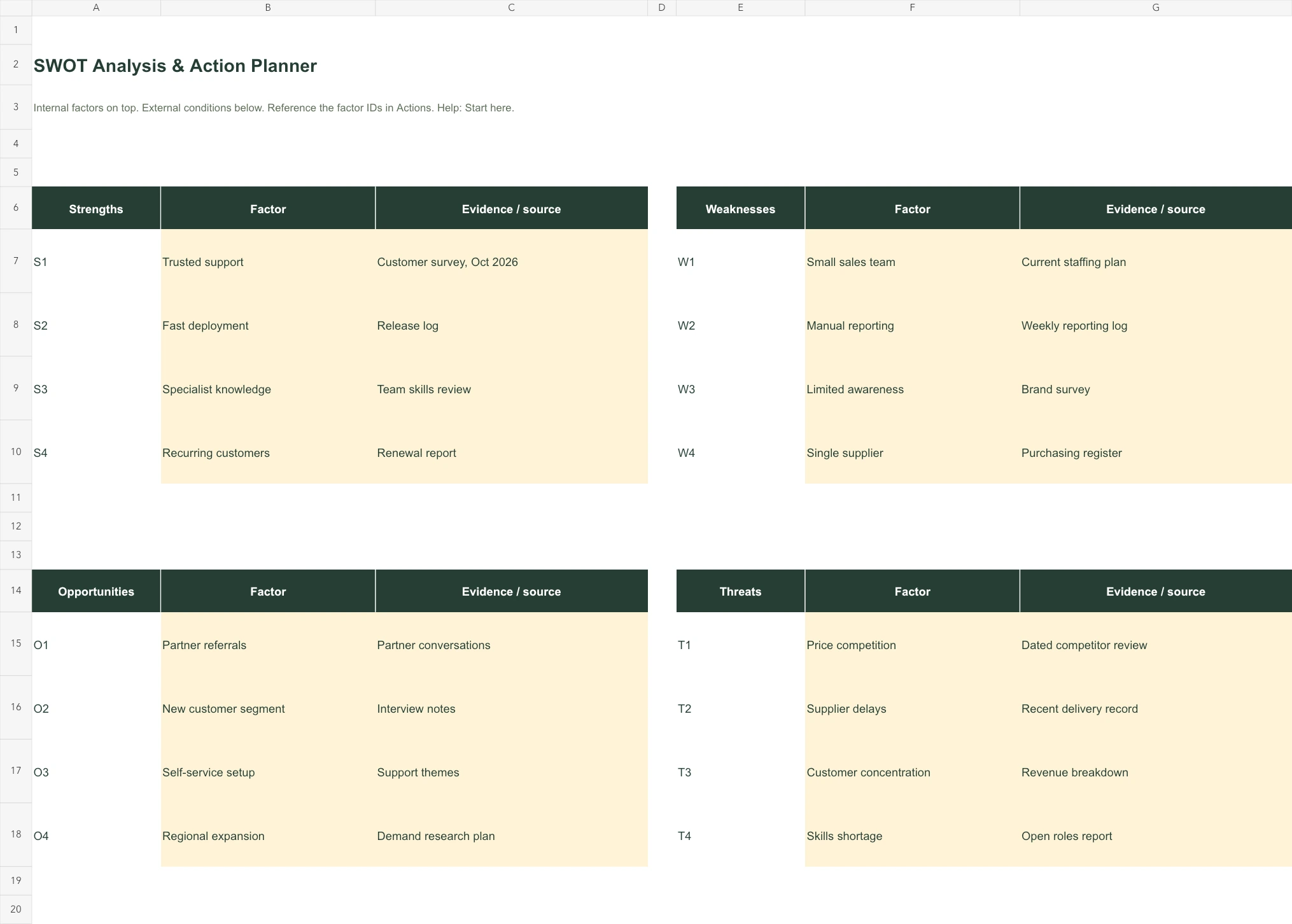
Four-quadrant SWOT canvas
Evidence and source fields
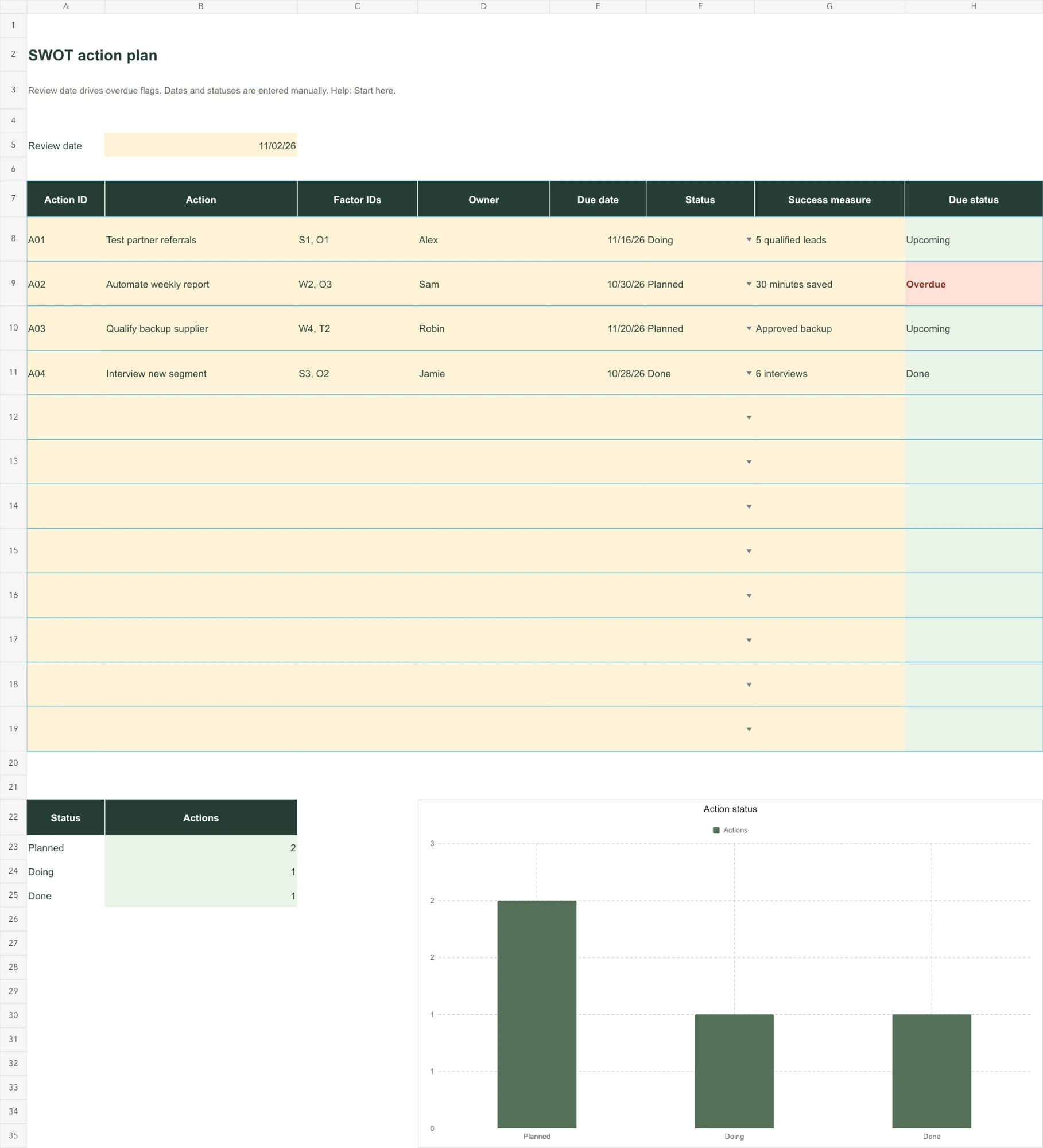
12 owned actions with due dates
Action completion chart
One connected workbook
Take a look inside.
Start with the included guide, replace the example inputs, and review the calculated results.
SWOT
Edit the four quadrants, keeping internal factors separate from external conditions.
Actions
Connect actions to SWOT factors and assign an owner, due date, and status.
 Explore the details
From download to your daily work
A useful start in three steps.
- 01
SWOT: Replace the fictional factors and evidence in the four amber quadrants.
- 02
Actions: Replace the example actions in rows 8–19. Cite the SWOT factor IDs that support each action.
- 03
Actions: Review due dates and the completion chart. Update the review date in B5 each meeting.
The useful details
Before you make it yours.
How does this go beyond a blank SWOT grid?
Every factor has an ID and evidence. The action register links decisions back to those IDs and records owners, due dates, and progress.
What will I receive after purchase?
You receive the complete SWOT Analysis & Action Planner as an editable .xlsx file with 2 worksheets, sample data, and live formulas. Your paid order confirmation includes download links. Sign in to your GridMori account to keep purchased workbooks together in your library.
Do I need a subscription?
No. This workbook is a one-time $9 purchase. Choose any 3 different GridMori templates for $24 or any 5 for $32. Your bag applies $8-each pricing for 3–4 templates and $6.40-each pricing for 5 or more. Taxes are calculated at checkout.
Which spreadsheet app is it designed for?
Editable .xlsx for modern Microsoft Excel on Windows or Mac. No VBA macros. Other spreadsheet apps require import and review of formulas, charts, dropdowns, and layout.
Can I customize the workbook for my business?
Yes. Replace the example data, edit the input fields, and adapt the labels and appearance for your own work. Keep an original copy and check formulas and chart ranges when extending the prepared structure. A personal commercial-use license is included; it does not permit resale of the template.