A clearer way to work
Plan the work and the spend.
Keep the plan, progress, and spend in the same conversation. Build a twelve-week view of the work, assign responsibilities, and compare planned cost with actuals without moving between a scheduling tool and a separate budget sheet.
Project leads and small delivery teams planning a defined piece of work.
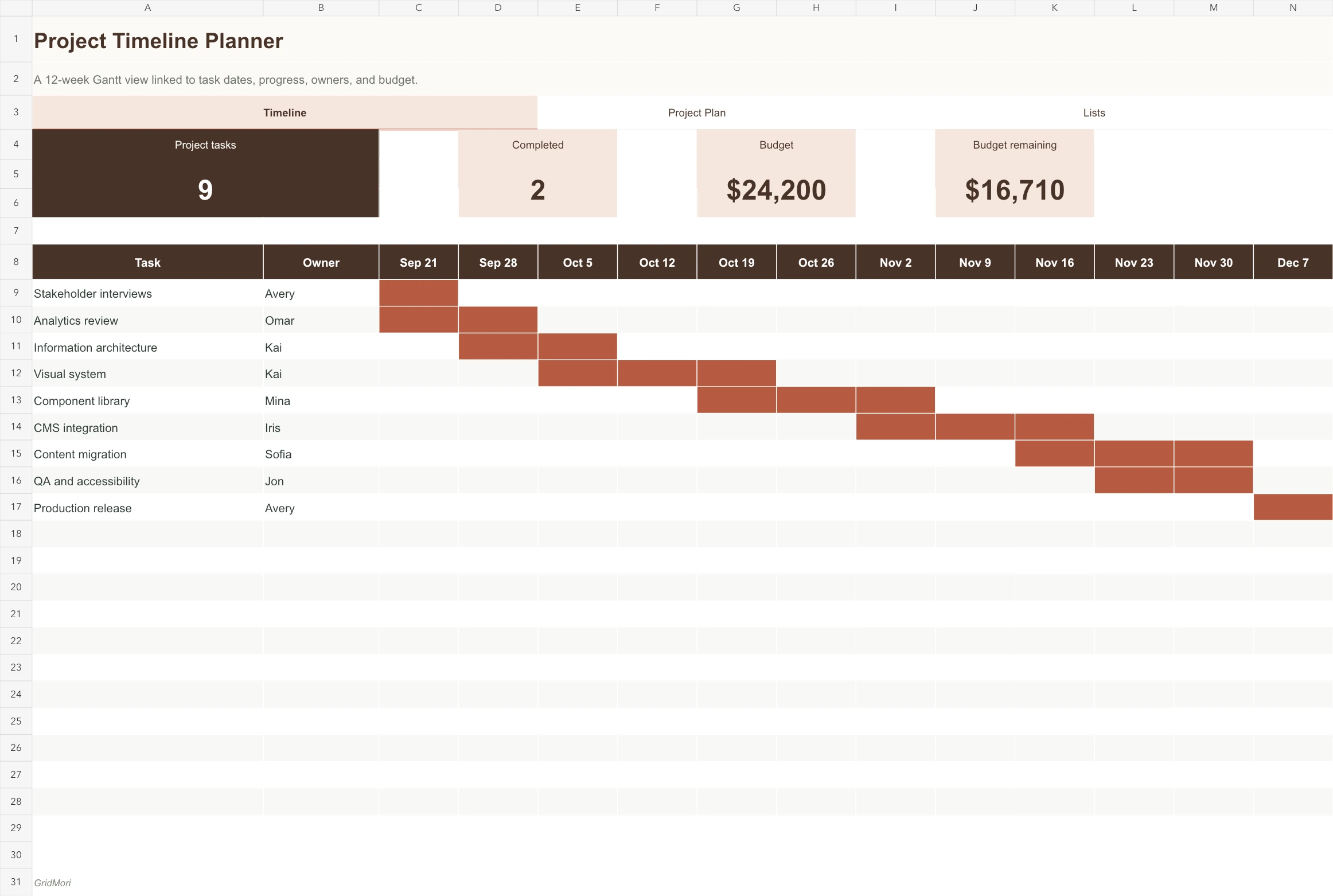
12-week Gantt view
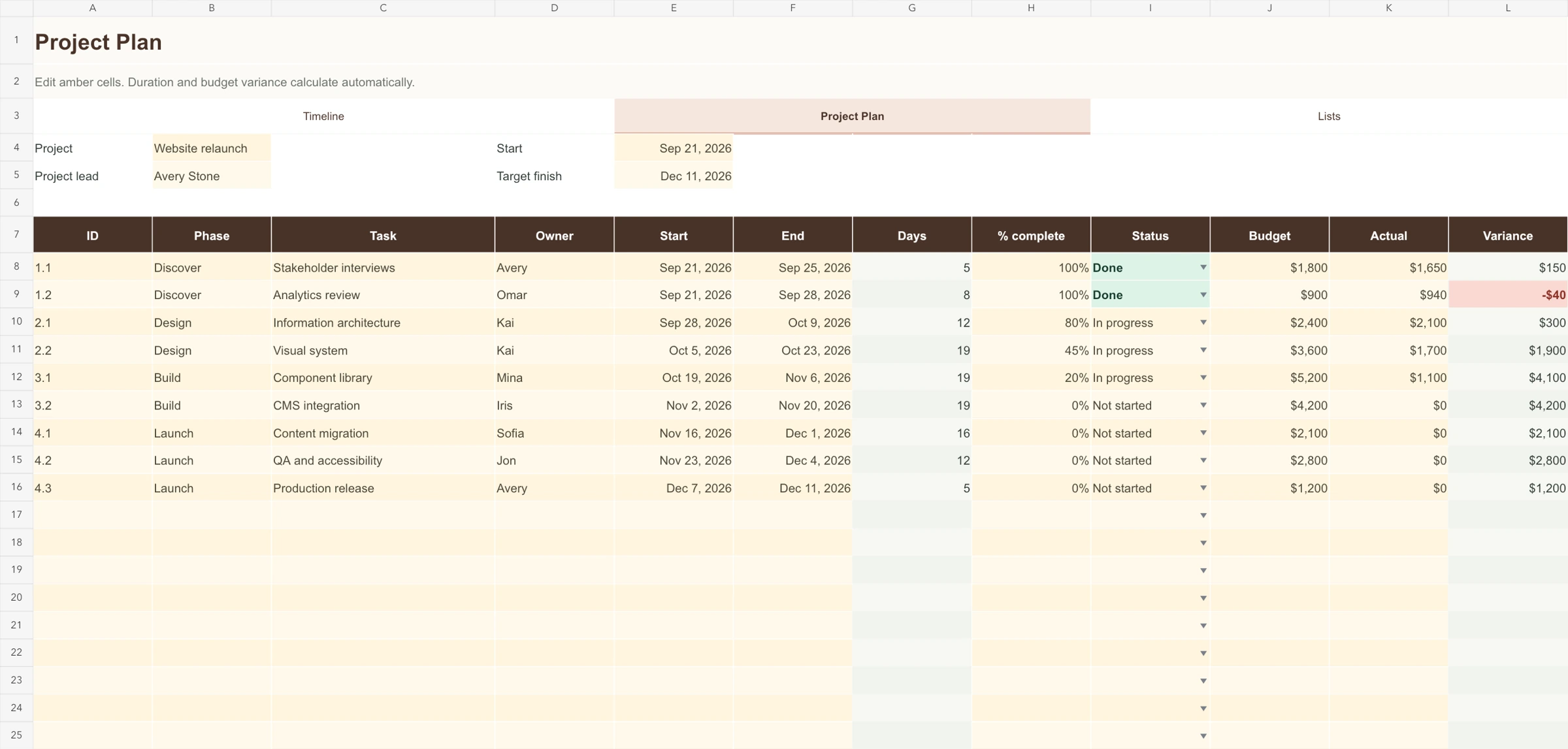
Project task plan
Budget tracking
Progress and status controls
One connected workbook
Take a look inside.
Start with the included guide, replace the example inputs, and review the calculated results.
Timeline
See the twelve-week Gantt view and the sequence of planned work.
Project Plan
Maintain project tasks, owners, dates, progress, and budget-versus-actual figures.
Lists
Maintain the dropdown choices that keep project records consistent.
 Explore the details
From download to your daily work
A useful start in three steps.
- 01
Set the project timing and replace the example tasks with your delivery plan.
- 02
Enter task owners, dates, progress, and the corresponding cost figures.
- 03
Review the Gantt view and budget position together at each project check-in.
The useful details
Before you make it yours.
How far ahead does the timeline show?
The prepared Gantt view covers twelve weeks. It is intended for a focused planning window. Review the workbook's existing ranges and formulas before extending its timeline or adding more tasks.
What will I receive after purchase?
You receive the complete Project Timeline Planner as an editable .xlsx file with 3 worksheets, sample data, and live formulas. Your paid order confirmation includes download links. Sign in to your GridMori account to keep purchased workbooks together in your library.
Do I need a subscription?
No. This workbook is a one-time $9 purchase. Choose any 3 different GridMori templates for $24 or any 5 for $32. Your bag applies $8-each pricing for 3–4 templates and $6.40-each pricing for 5 or more. Taxes are calculated at checkout.
Which spreadsheet app is it designed for?
Editable .xlsx for modern Microsoft Excel on Windows or Mac. No VBA macros. Other spreadsheet apps require import and review of formulas, charts, dropdowns, and layout.
Can I customize the workbook for my business?
Yes. Replace the example data, edit the input fields, and adapt the labels and appearance for your own work. Keep an original copy and check formulas and chart ranges when extending the prepared structure. A personal commercial-use license is included; it does not permit resale of the template.