A clearer way to work
See every payment and the path to payoff.
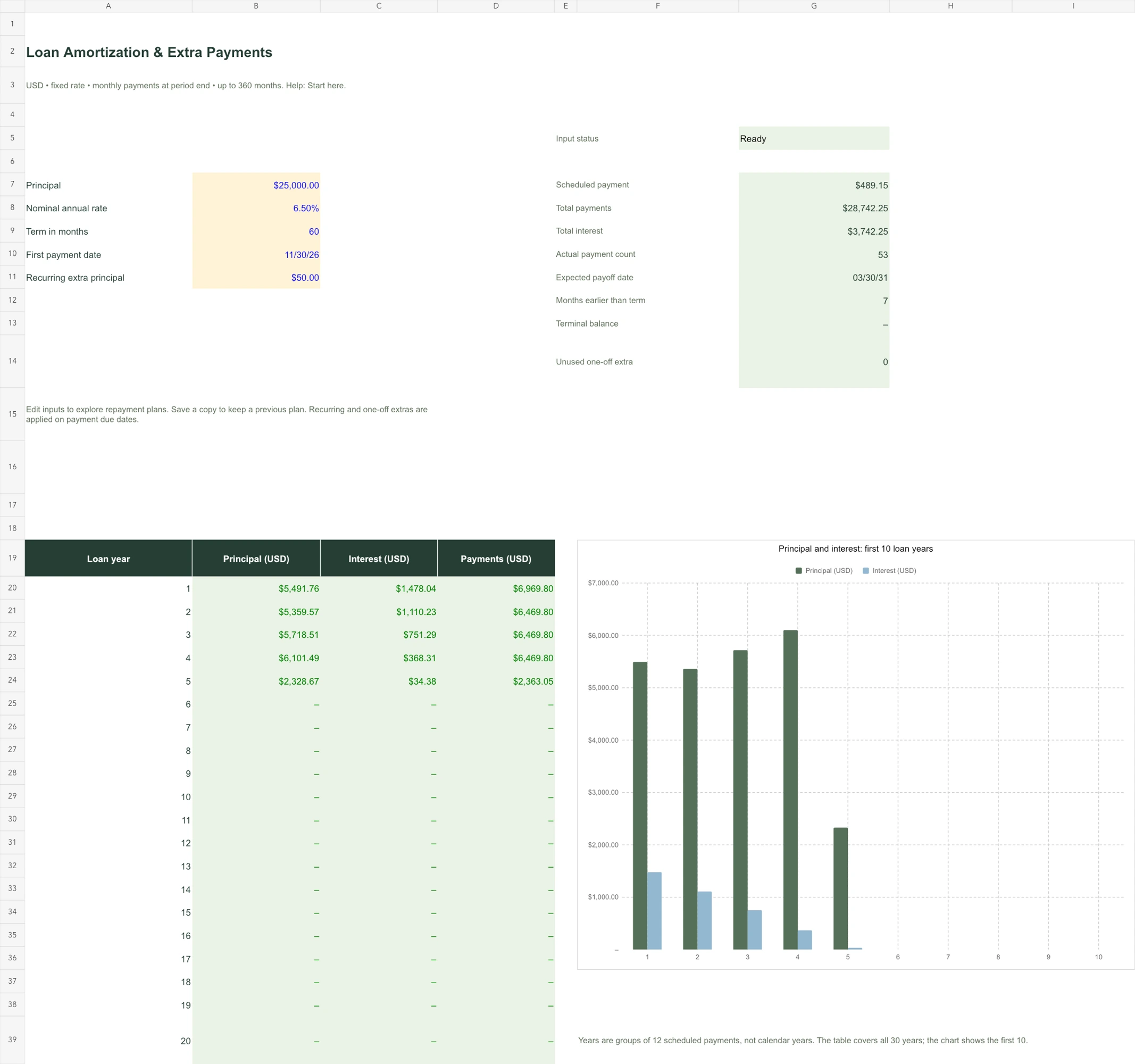
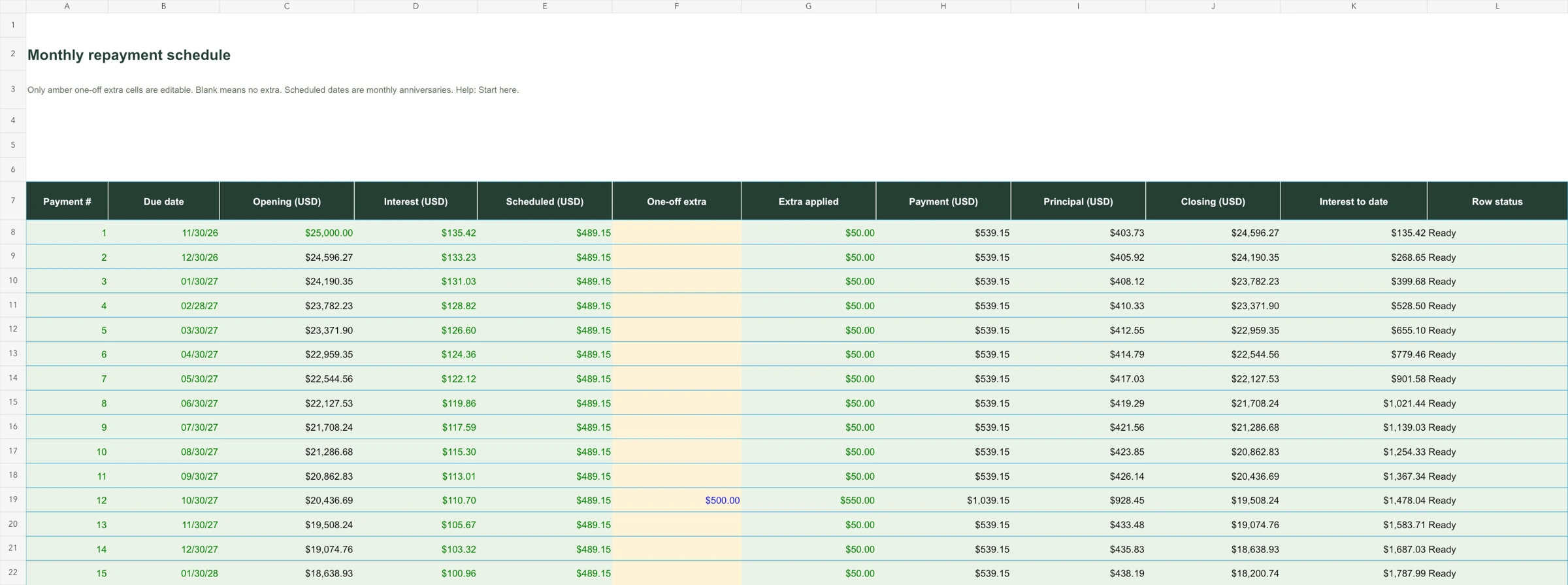
Build a monthly loan repayment schedule from principal, interest, term, and the first payment date. Review how recurring and one-off extra principal affect total interest, actual payment count, and the remaining balance.
Business owners and borrowers reviewing a simple fixed-rate monthly loan under their own terms.
360-month repayment schedule
Recurring and one-off extra principal
Final-payment and zero-interest handling
Annual principal and interest chart
One connected workbook
Take a look inside.
Start with the included guide, replace the example inputs, and review the calculated results.
Loan
Set loan inputs and review scheduled payment, total interest, payoff timing, and annual principal and interest.
Schedule
Inspect each payment and enter optional one-off extra principal in column F.
 Explore the details
From download to your daily work
A useful start in three steps.
- 01
Loan: Enter principal in B7, nominal annual rate in B8, term in months in B9, first payment date in B10, and recurring extra principal in B11.
- 02
Schedule: Enter any one-off extra principal in F8:F367. Blank means none. Extra principal is applied on that payment date and capped at the remaining amount owed.
- 03
Loan: Review actual interest, payment count, and the terminal balance. Update assumptions to explore another repayment plan; keep a separate copy when you need to retain it.
The useful details
Before you make it yours.
How are extra payments and the last payment handled?
Interest is rounded to cents each month. Regular payments and extra principal cannot exceed the balance plus interest. The final contractual month clears any cent-rounding remainder. A zero rate uses principal divided by months. Dates use EDATE from the original first-payment date, including month-end adjustments.
What will I receive after purchase?
You receive the complete Loan Amortization & Extra Payments as an editable .xlsx file with 2 worksheets, sample data, and live formulas. Your paid order confirmation includes download links. Sign in to your GridMori account to keep purchased workbooks together in your library.
Do I need a subscription?
No. This workbook is a one-time $9 purchase. Choose any 3 different GridMori templates for $24 or any 5 for $32. Your bag applies $8-each pricing for 3–4 templates and $6.40-each pricing for 5 or more. Taxes are calculated at checkout.
Which spreadsheet app is it designed for?
Editable .xlsx for modern Microsoft Excel on Windows or Mac. No VBA macros. Other spreadsheet apps require import and review of formulas, charts, dropdowns, and layout.
Can I customize the workbook for my business?
Yes. Replace the example data, edit the input fields, and adapt the labels and appearance for your own work. Keep an original copy and check formulas and chart ranges when extending the prepared structure. A personal commercial-use license is included; it does not permit resale of the template.