A clearer way to work
Make worked time add up.
Make the time log useful for both the team and the person reviewing it. Record daily work consistently, then bring hours, overtime, billable time, and billable value into a shared summary.
Small service teams and coordinators reviewing worked and billable time.
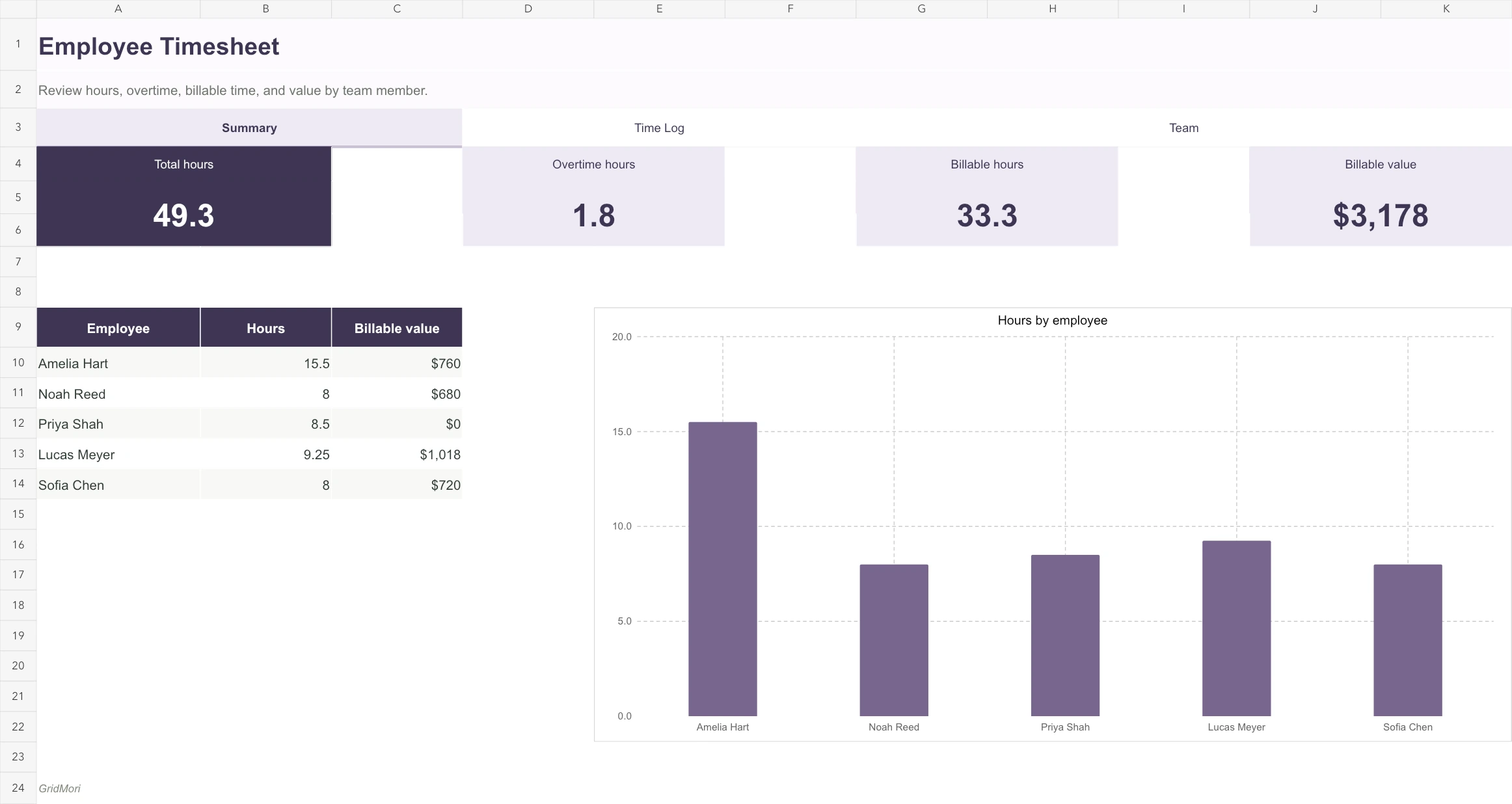
Team hours summary
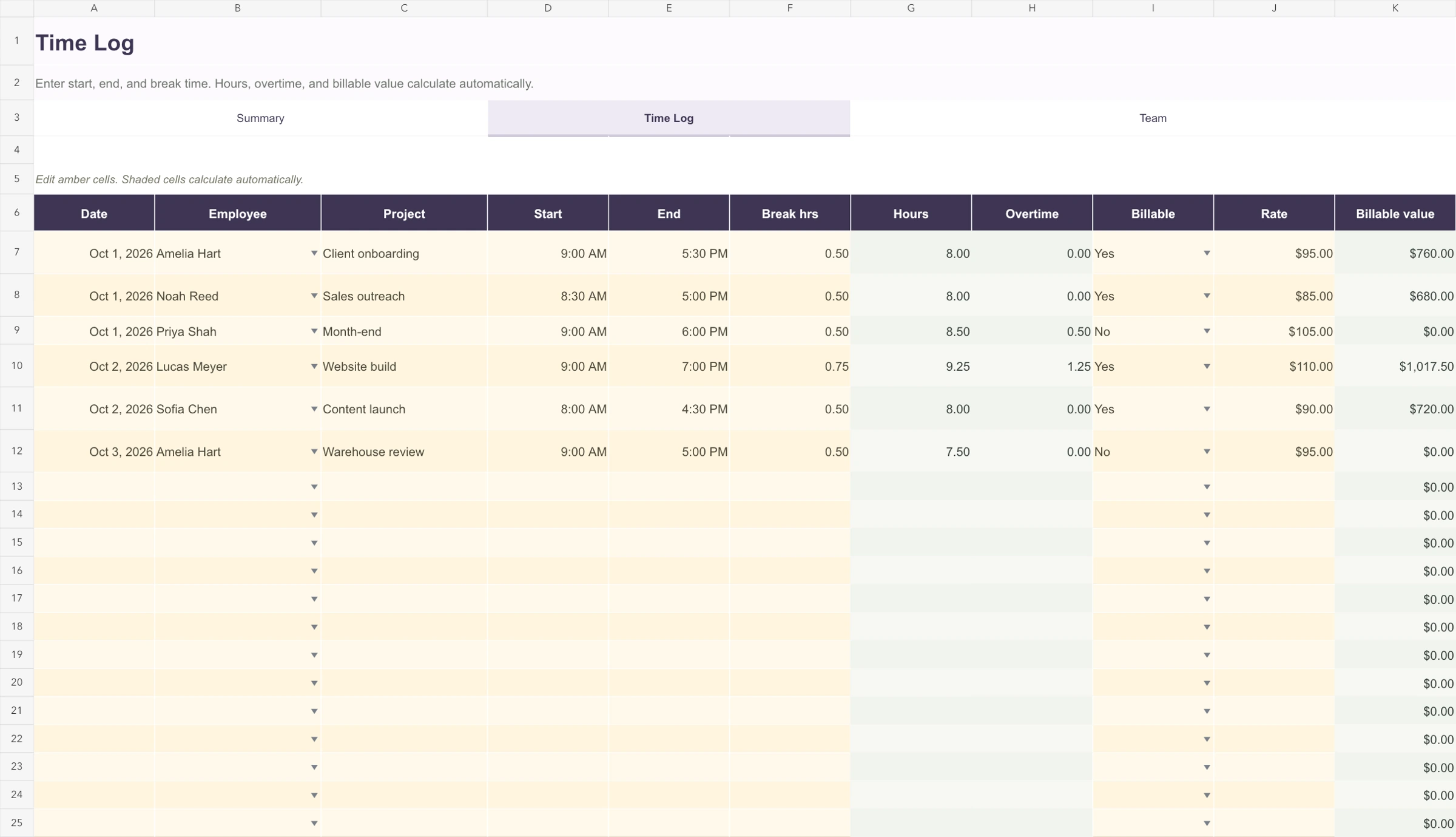
40-row time log
Overtime formulas
Rates and capacity table
One connected workbook
Take a look inside.
Start with the included guide, replace the example inputs, and review the calculated results.
Summary
Review team hours, overtime, and billable time and value.
Time Log
Capture daily work entries in the prepared 40-row time log.
Team
Maintain employee rates and capacity inputs used by the calculations.
 Explore the details
From download to your daily work
A useful start in three steps.
- 01
Add your team, rates, and capacity assumptions.
- 02
Replace the example entries in the 40-row time log with daily work records.
- 03
Review hours, overtime, and billable value before using the results in your own billing or payroll process.
The useful details
Before you make it yours.
Is this a payroll processing tool?
It summarizes time and applies the workbook's rate and overtime assumptions. It does not run payroll, calculate deductions, or determine local employment requirements. Check the inputs against your own arrangements.
What will I receive after purchase?
You receive the complete Employee Timesheet as an editable .xlsx file with 3 worksheets, sample data, and live formulas. Your paid order confirmation includes download links. Sign in to your GridMori account to keep purchased workbooks together in your library.
Do I need a subscription?
No. This workbook is a one-time $9 purchase. Choose any 3 different GridMori templates for $24 or any 5 for $32. Your bag applies $8-each pricing for 3–4 templates and $6.40-each pricing for 5 or more. Taxes are calculated at checkout.
Which spreadsheet app is it designed for?
Editable .xlsx for modern Microsoft Excel on Windows or Mac. No VBA macros. Other spreadsheet apps require import and review of formulas, charts, dropdowns, and layout.
Can I customize the workbook for my business?
Yes. Replace the example data, edit the input fields, and adapt the labels and appearance for your own work. Keep an original copy and check formulas and chart ranges when extending the prepared structure. A personal commercial-use license is included; it does not permit resale of the template.