A clearer way to work
See the month in one page.
Bring the month's measures into one coherent review. Keep a clear metric library, enter monthly results and targets, and use higher-is-better or lower-is-better logic to understand performance in the right direction.
Business owners and team leads preparing a recurring management review.
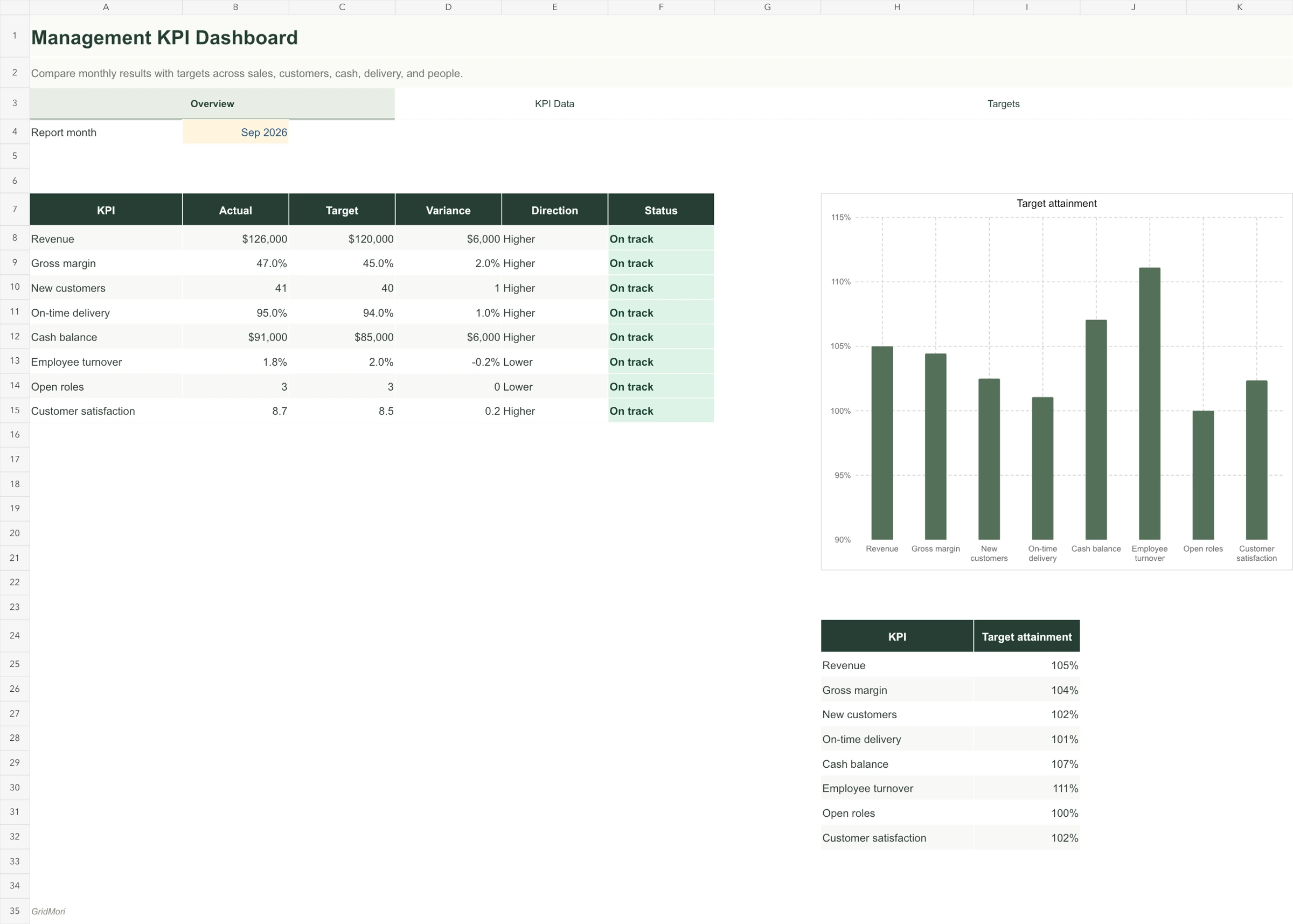
Target-attainment dashboard
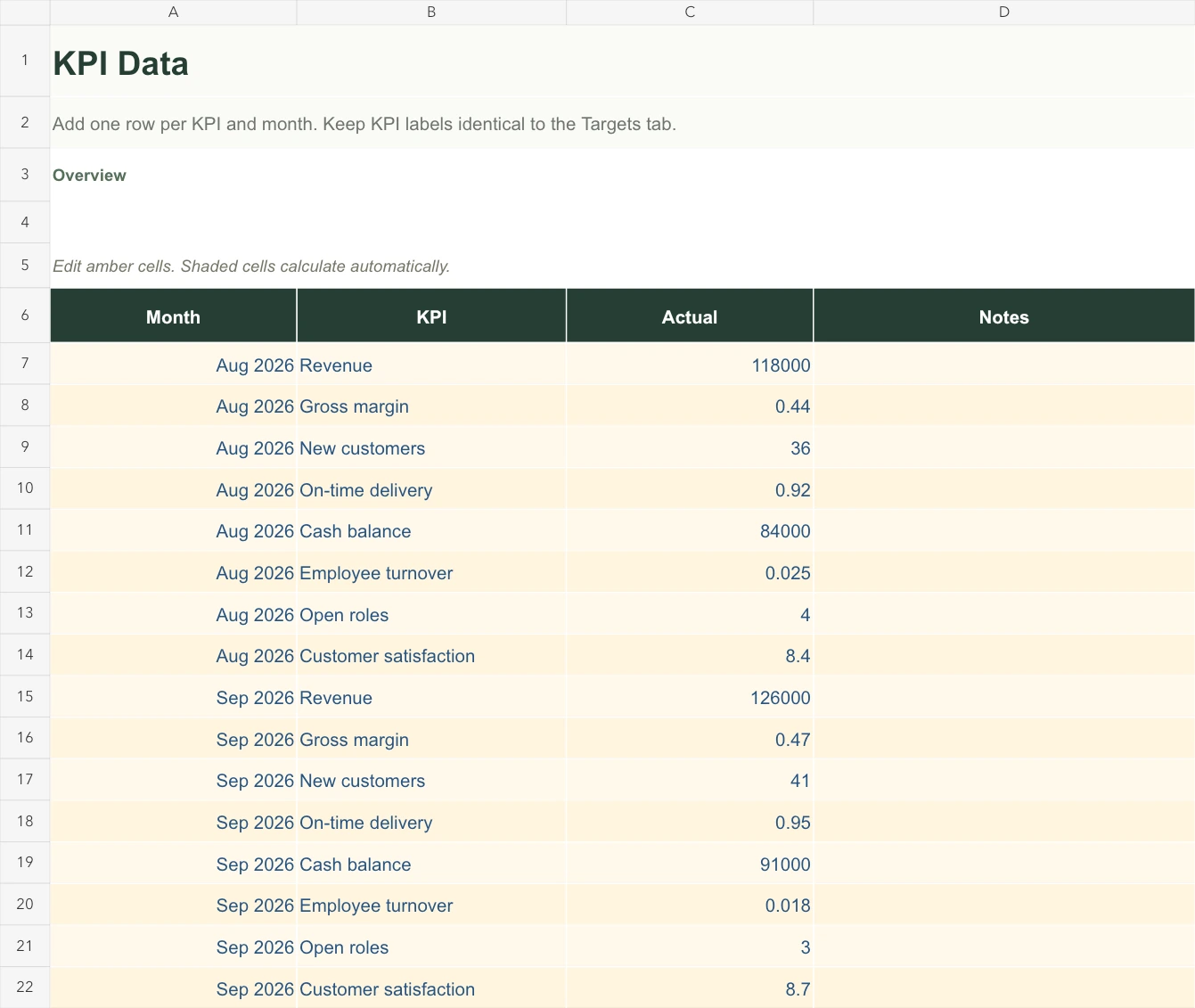
Monthly KPI data log
Higher/lower target logic
Editable metric library
One connected workbook
Take a look inside.
Start with the included guide, replace the example inputs, and review the calculated results.
Dashboard
Compare business metrics and target attainment in a management overview.
KPI Data
Maintain the monthly KPI results that feed the dashboard.
Targets
Set metric definitions, targets, and higher/lower performance direction.
 Explore the details
From download to your daily work
A useful start in three steps.
- 01
Define your metrics, targets, and whether higher or lower results are preferred.
- 02
Enter monthly results in the data log using a consistent definition for each metric.
- 03
Review target attainment and use the underlying numbers to guide the management discussion.
The useful details
Before you make it yours.
Can I choose my own KPIs?
Yes. The metric library is editable. Keep each metric's units, target, and performance direction consistent, and check dependent ranges if you extend the prepared structure.
What will I receive after purchase?
You receive the complete Management KPI Dashboard as an editable .xlsx file with 3 worksheets, sample data, and live formulas. Your paid order confirmation includes download links. Sign in to your GridMori account to keep purchased workbooks together in your library.
Do I need a subscription?
No. This workbook is a one-time $9 purchase. Choose any 3 different GridMori templates for $24 or any 5 for $32. Your bag applies $8-each pricing for 3–4 templates and $6.40-each pricing for 5 or more. Taxes are calculated at checkout.
Which spreadsheet app is it designed for?
Editable .xlsx for modern Microsoft Excel on Windows or Mac. No VBA macros. Other spreadsheet apps require import and review of formulas, charts, dropdowns, and layout.
Can I customize the workbook for my business?
Yes. Replace the example data, edit the input fields, and adapt the labels and appearance for your own work. Keep an original copy and check formulas and chart ranges when extending the prepared structure. A personal commercial-use license is included; it does not permit resale of the template.