A clearer way to work
Make supplier tradeoffs explicit.
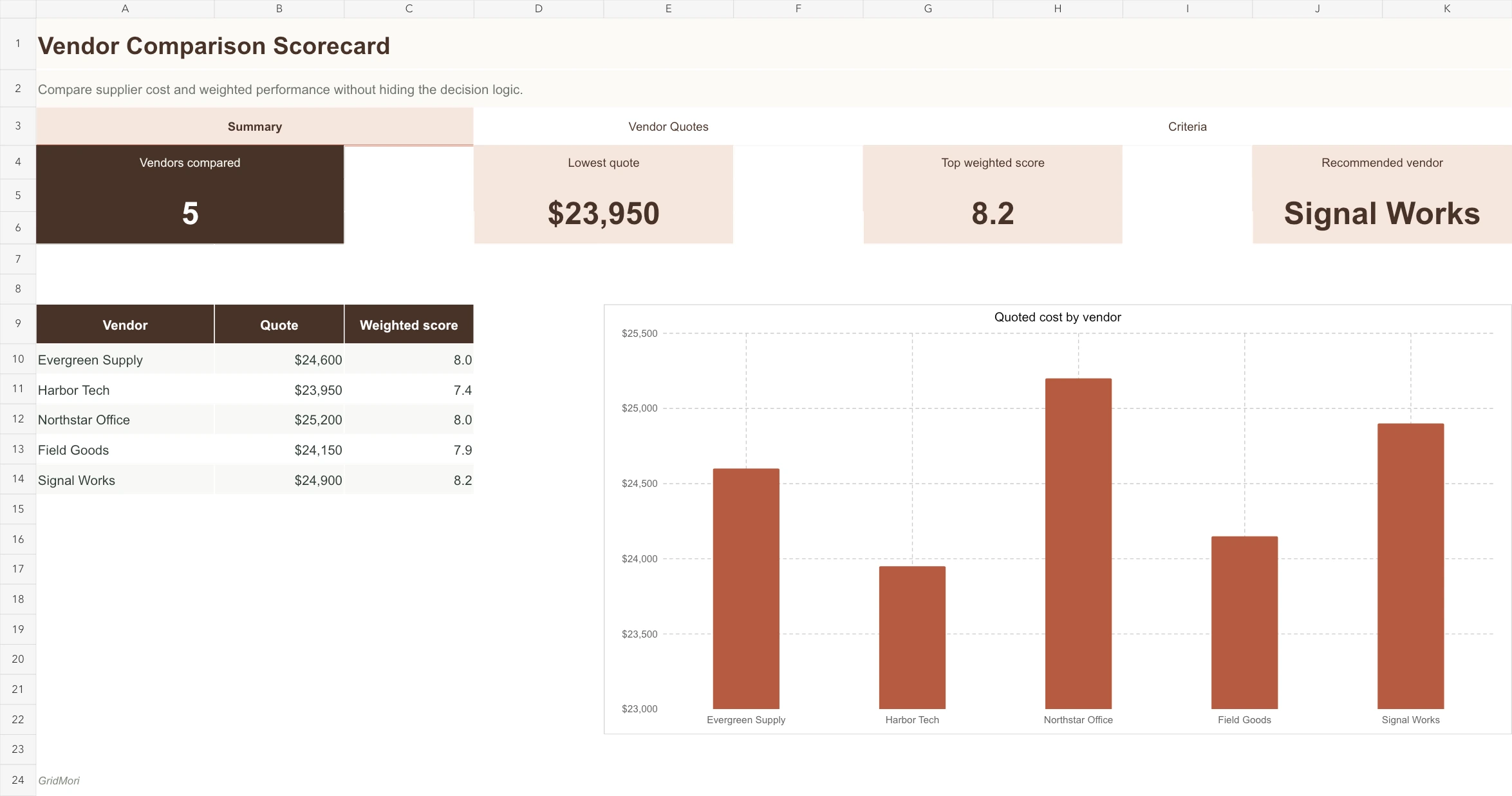
Make supplier discussions easier to explain. Set the criteria that matter, weight them deliberately, and compare quotes using the same structure. The summary helps the team understand the result and the assumptions behind it.
Operations and purchasing teams comparing a shortlist of supplier options.
Supplier comparison summary
Weighted quote scorecard
Editable criteria weights
Automatic recommendation
One connected workbook
Take a look inside.
Start with the included guide, replace the example inputs, and review the calculated results.
Summary
Compare supplier results and review the calculated recommendation.
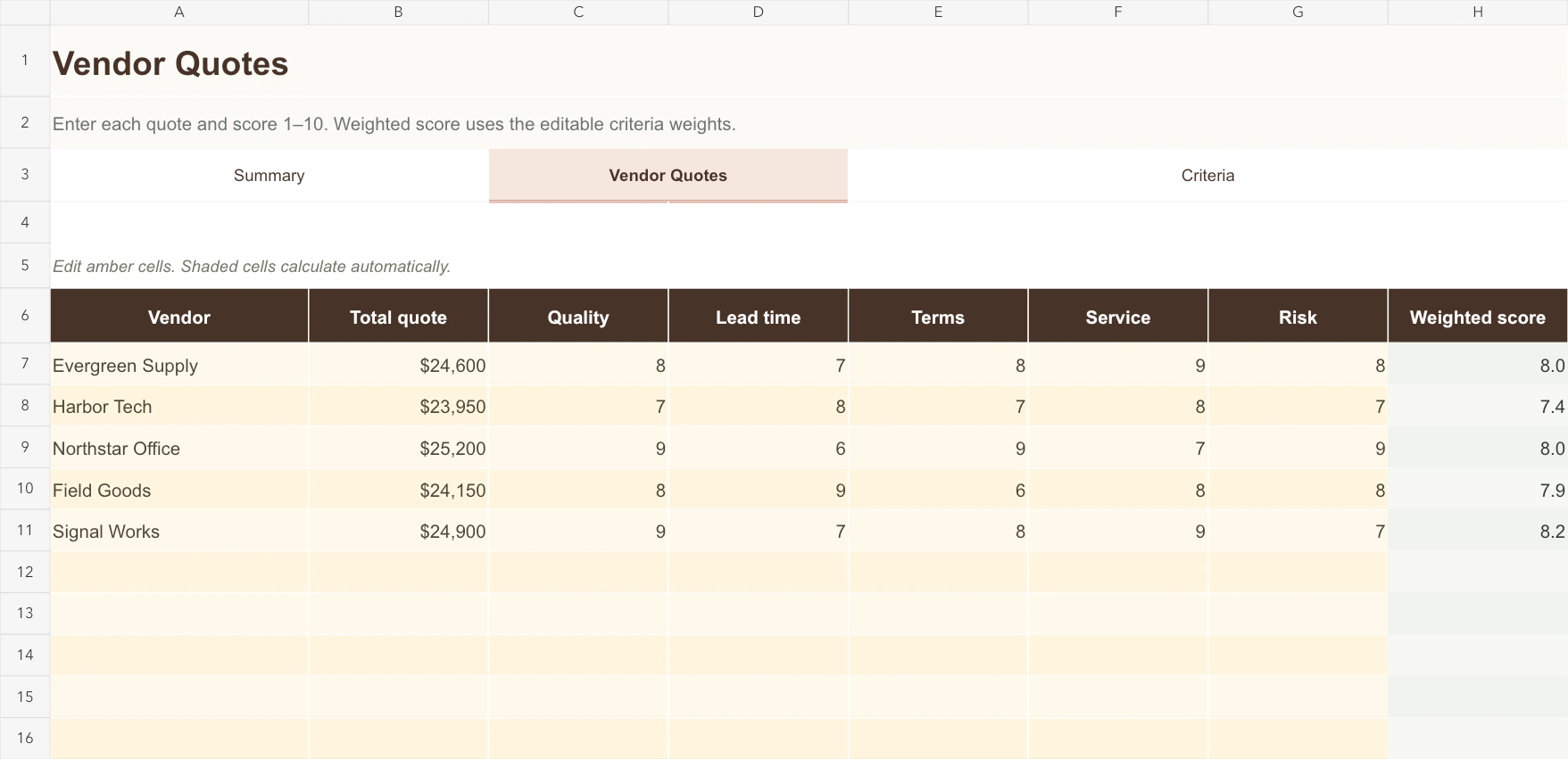
Vendor Quotes
Capture supplier quotes and the ratings used in the weighted scorecard.
Criteria
Set the criteria and relative weights that define the comparison.
 Explore the details
From download to your daily work
A useful start in three steps.
- 01
Choose the criteria and weights before scoring the vendors.
- 02
Enter comparable quote information and rate each supplier using the same scale.
- 03
Review the weighted comparison and recommendation, then discuss evidence and trade-offs before deciding.
The useful details
Before you make it yours.
Is the top-ranked vendor always the best choice?
The recommendation reflects the criteria, weights, and ratings you enter. Verify quote details and discuss qualitative factors, dependencies, and contractual requirements before making the purchasing decision.
What will I receive after purchase?
You receive the complete Vendor Comparison Scorecard as an editable .xlsx file with 3 worksheets, sample data, and live formulas. Your paid order confirmation includes download links. Sign in to your GridMori account to keep purchased workbooks together in your library.
Do I need a subscription?
No. This workbook is a one-time $9 purchase. Choose any 3 different GridMori templates for $24 or any 5 for $32. Your bag applies $8-each pricing for 3–4 templates and $6.40-each pricing for 5 or more. Taxes are calculated at checkout.
Which spreadsheet app is it designed for?
Editable .xlsx for modern Microsoft Excel on Windows or Mac. No VBA macros. Other spreadsheet apps require import and review of formulas, charts, dropdowns, and layout.
Can I customize the workbook for my business?
Yes. Replace the example data, edit the input fields, and adapt the labels and appearance for your own work. Keep an original copy and check formulas and chart ranges when extending the prepared structure. A personal commercial-use license is included; it does not permit resale of the template.