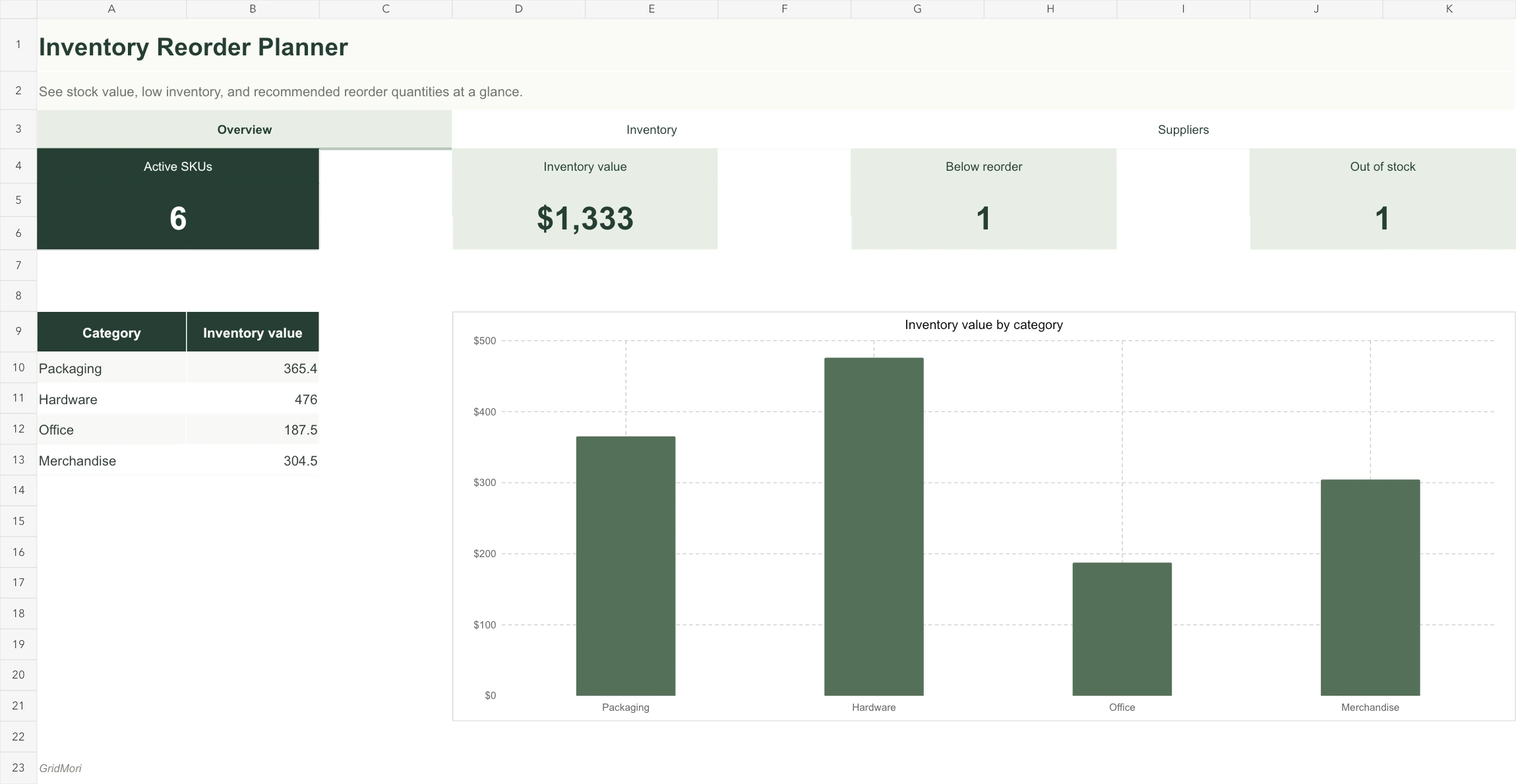
Review inventory value, stock position, and items needing attention.
Operations / The GridMori collection
Excel .xlsx · 3 worksheets
Inventory Reorder Tracker Excel Template
For small operations teams managing stock manually: enter on-hand quantities, reorder points, and target stock, then review status and suggested replenishment quantities. $9 USD once, before tax. Three working sheets plus Start here for modern Microsoft Excel on Windows or Mac.
Excel .xlsx download after payment. Tax calculated at checkout.
Editable formulasSample data includedNo macros
See the workbook at work
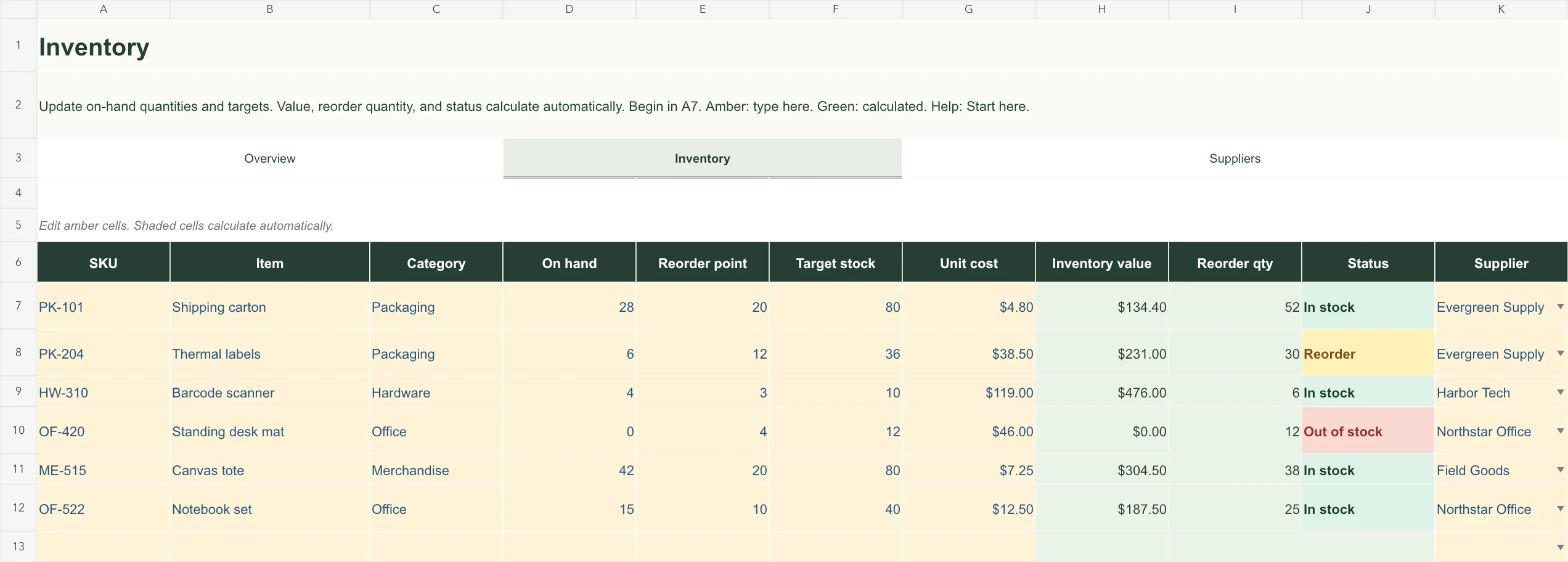
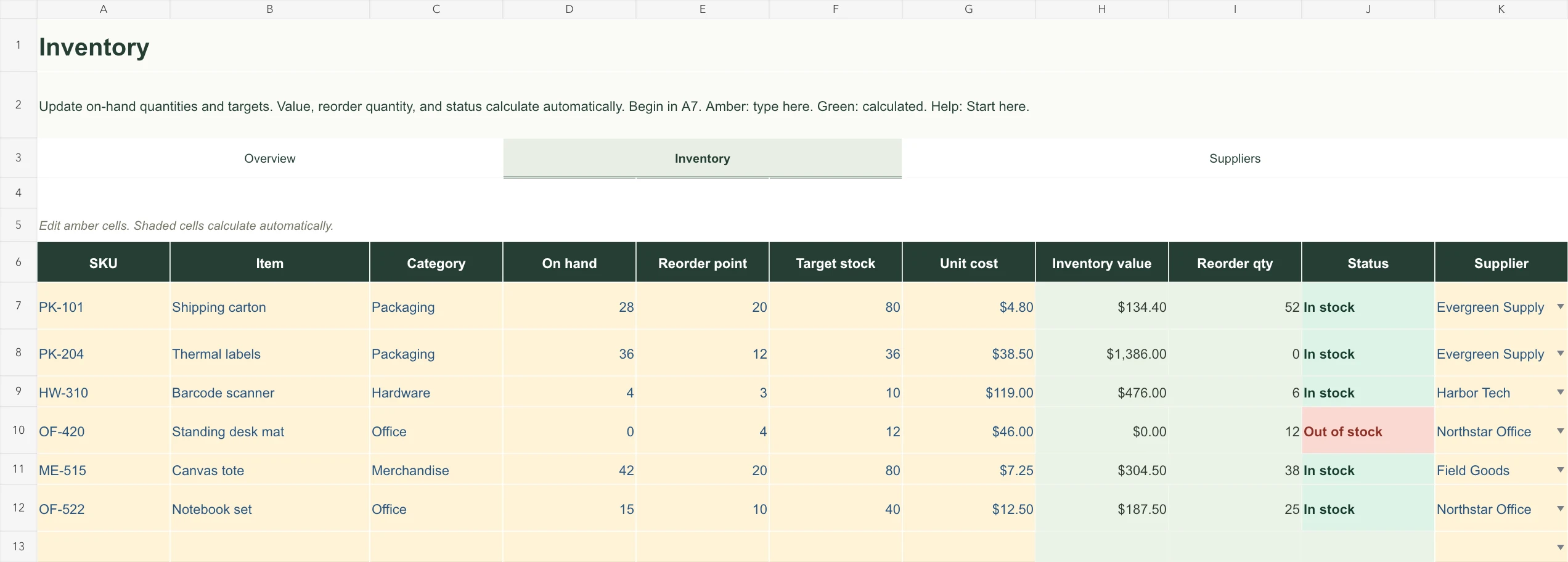
Replenish the thermal-label stock
Thermal labels have 6 cases on hand, a reorder point of 12, and target stock of 36. The workbook flags Reorder and suggests 30 cases. After receipt, entering 36 on hand changes the suggestion to 0 and the status to In stock.
Fictional example using the shipped Excel workbook. Worksheet captures show the example inputs and results; follow-along changes are described below.
Watch the worked example
17 seconds. Live workbook capture in Apple Numbers, sped up with pauses removed. Fictional data; no audio. The downloadable file is an Excel .xlsx workbook. Use full screen to inspect the cells.
On-screen changes and calculated results are described in the English captions and transcript.
Read the video transcript
0:00 Thermal labels: 6 on hand, reorder point 12, target 36; suggested quantity 30.
0:05 After receiving 30 cases, enter 36 in Inventory!D8. The suggestion becomes 0: In stock.
0:09 Dashboard: 0 Reorder SKUs. The separate Out of stock count remains 1.
A stock list can be enough when you only need a record of quantities.
What this $9 workbook adds
Choose this workbook for ready-made status formulas, target-stock replenishment quantities, supplier records, and a stock-value dashboard. Set your own replenishment policy first.
Prepared capacity
30 SKU rows in Inventory (7–36).
20 supplier records (7–26).
Three working sheets plus Start here.
Supported behavior and limits
Reorder point and target stock are manual inputs. The workbook does not calculate them from demand, safety stock, or supplier lead time.
Suggested quantity is max(0, target − on hand) for every SKU, including those marked In stock. Use the status to decide which suggestions to act on.
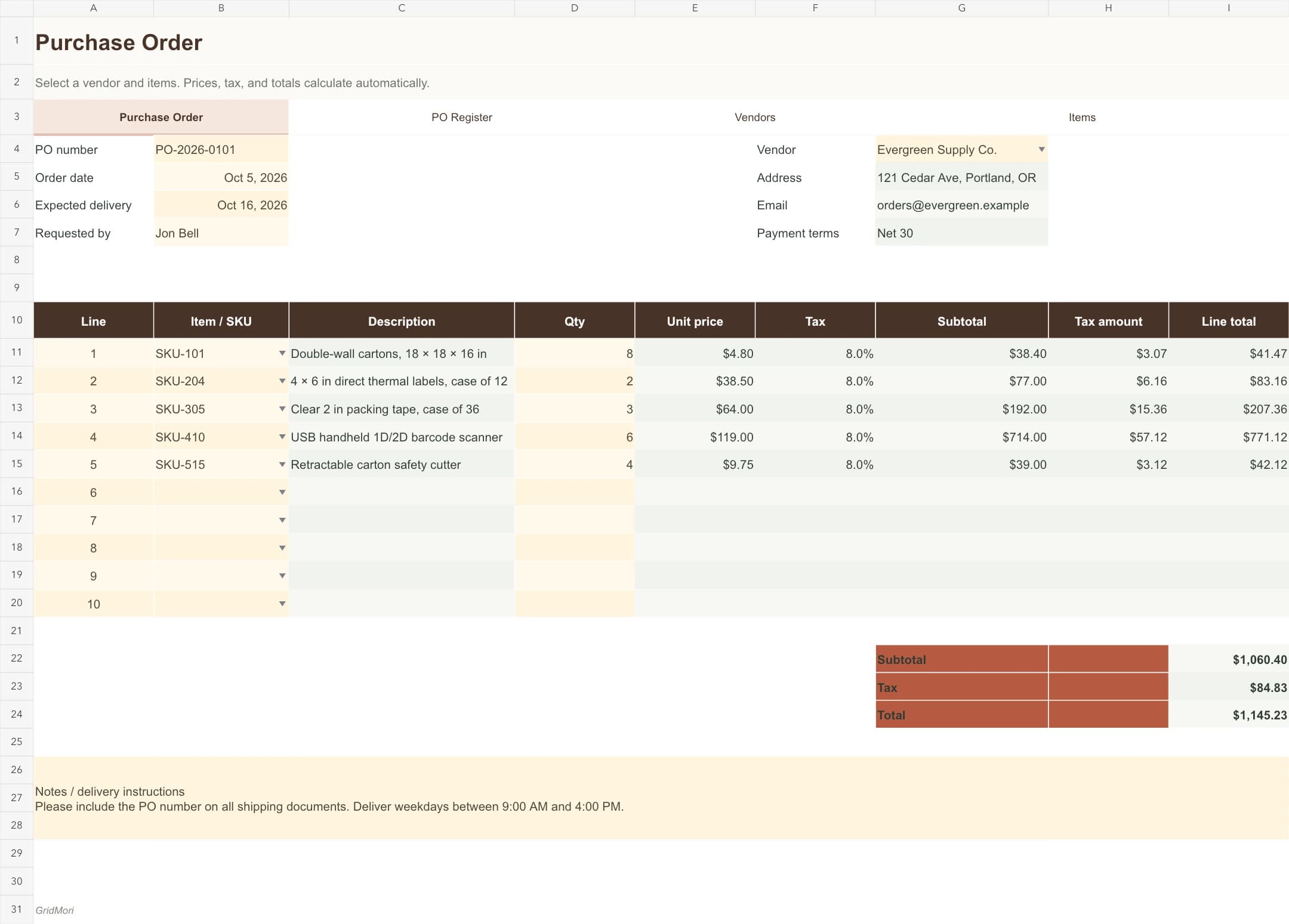
The supplier tab stores lead times for reference. It does not drive the stock formulas. No stock-cover calculation, sales import, purchase-order creation, or automatic stock updates.
The dashboard’s Below reorder tile counts Reorder only. Out of stock is counted separately.
Prepared capacity describes the supplied ranges. Extending them requires reviewing formulas, dropdowns, summaries, and print layout.
Inventory Reorder Planner at a glance
Price
$9 USD, one time, before tax.
Intended user
Small operations and purchasing teams managing inventory by SKU.
Compatibility
Editable .xlsx for modern Microsoft Excel on Windows or Mac. No VBA macros. Other spreadsheet apps require import and review of formulas, charts, dropdowns, and layout.
Reorder point and target stock are manual inputs. The workbook does not calculate them from demand, safety stock, or supplier lead time. Suggested quantity is max(0, target − on hand) for every SKU, including those marked In stock. Use the status to decide which suggestions to act on. The supplier tab stores lead times for reference. It does not drive the stock formulas. No stock-cover calculation, sales import, purchase-order creation, or automatic stock updates. The dashboard’s Below reorder tile counts Reorder only. Out of stock is counted separately.
Purchase terms
USD, one-time payment. No subscription. Choose any 3 different templates for $24 or any 5 for $32. One or two templates cost $9 each; 3–4 cost $8 each; 5 or more cost $6.40 each. Mix any categories; the discount applies automatically to every workbook in the bag. Extra copies of the same template do not unlock a tier. Taxes are calculated at checkout. Download after successful payment, with account purchase history when signed in. Personal commercial use in your own business is included. Resale and redistribution of the template files are not permitted.
Give stock decisions a little more context than a quantity on a shelf. Compare on-hand inventory with reorder and target levels, keep supplier lead times visible, and use the dashboard to discuss what to order next.
Made for
Small operations and purchasing teams managing inventory by SKU.
01
Inventory dashboard
02
Reorder calculations
03
Stock-status alerts
04
Supplier directory
One connected workbook
Take a look inside.
Start with the included guide, replace the example inputs, and review the calculated results.
01
Dashboard
Review inventory value, stock position, and items needing attention.
02
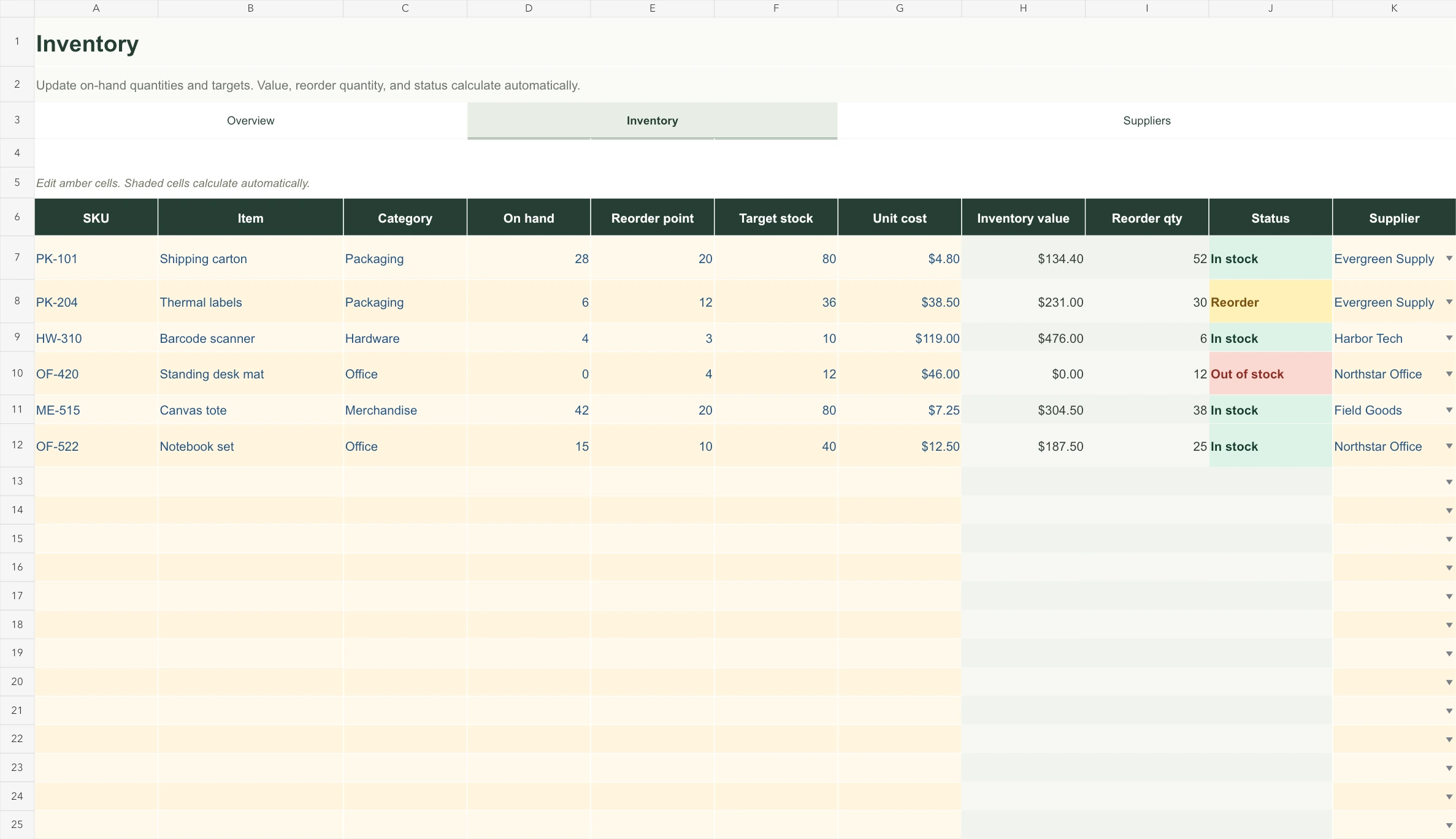
Inventory
Maintain SKU-level stock inputs, reorder calculations, and stock-status alerts.
03
Suppliers
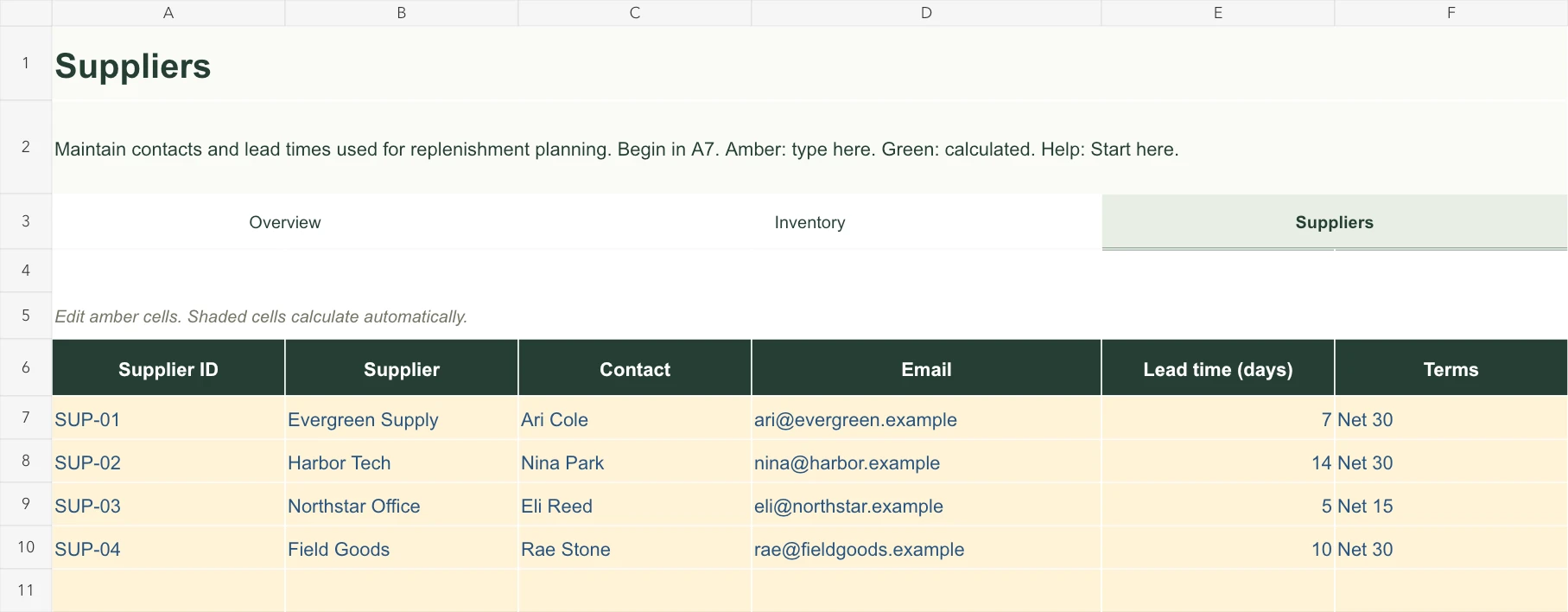
Keep the supplier details that support purchasing decisions.
No. The workbook calculates from the quantities and planning inputs you enter. Update stock from your own count or inventory records; it does not connect to a store, warehouse, or point-of-sale system.
What will I receive after purchase?+
You receive the complete Inventory Reorder Planner as an editable .xlsx file with 3 worksheets, sample data, and live formulas. Your paid order confirmation includes download links. Sign in to your GridMori account to keep purchased workbooks together in your library.
Do I need a subscription?+
No. This workbook is a one-time $9 purchase. Choose any 3 different GridMori templates for $24 or any 5 for $32. Your bag applies $8-each pricing for 3–4 templates and $6.40-each pricing for 5 or more. Taxes are calculated at checkout.
Which spreadsheet app is it designed for?+
Editable .xlsx for modern Microsoft Excel on Windows or Mac. No VBA macros. Other spreadsheet apps require import and review of formulas, charts, dropdowns, and layout.
Can I customize the workbook for my business?+
Yes. Replace the example data, edit the input fields, and adapt the labels and appearance for your own work. Keep an original copy and check formulas and chart ranges when extending the prepared structure. A personal commercial-use license is included; it does not permit resale of the template.
Before you buy
Your file, license, and download help
Purchase
$9 USD once, before tax. An editable Excel .xlsx file after successful payment. No subscription. Mix any three different templates for $24 or five for $32.
License
Use and customize the workbook in your own business. Resale and redistribution of the template file are not permitted.
Download help
Keep your private order-confirmation link. If an automatic download is blocked, use its manual download button. Signed-in buyers can also reopen their purchase library. Keep receipt links private.
Workbook help
Use the included Start here sheet or the public workbook guide. Save an original copy before replacing sample data.
Payment support
For receipts marked “Sold through Link,” use Link’s purchase support for payment questions. Guest buyers can also contact Link support without creating an account. Keep your receipt available. Open Link purchase support.
Refund requests
For orders marked “Sold through Link,” request a refund through Link support. Its policy covers certain delivery, product, and payment problems reported within 60 days. Eligibility and local consumer rights apply. This is not an unconditional money-back guarantee. Read eligibility and request a refund.
 Open full-size worksheet